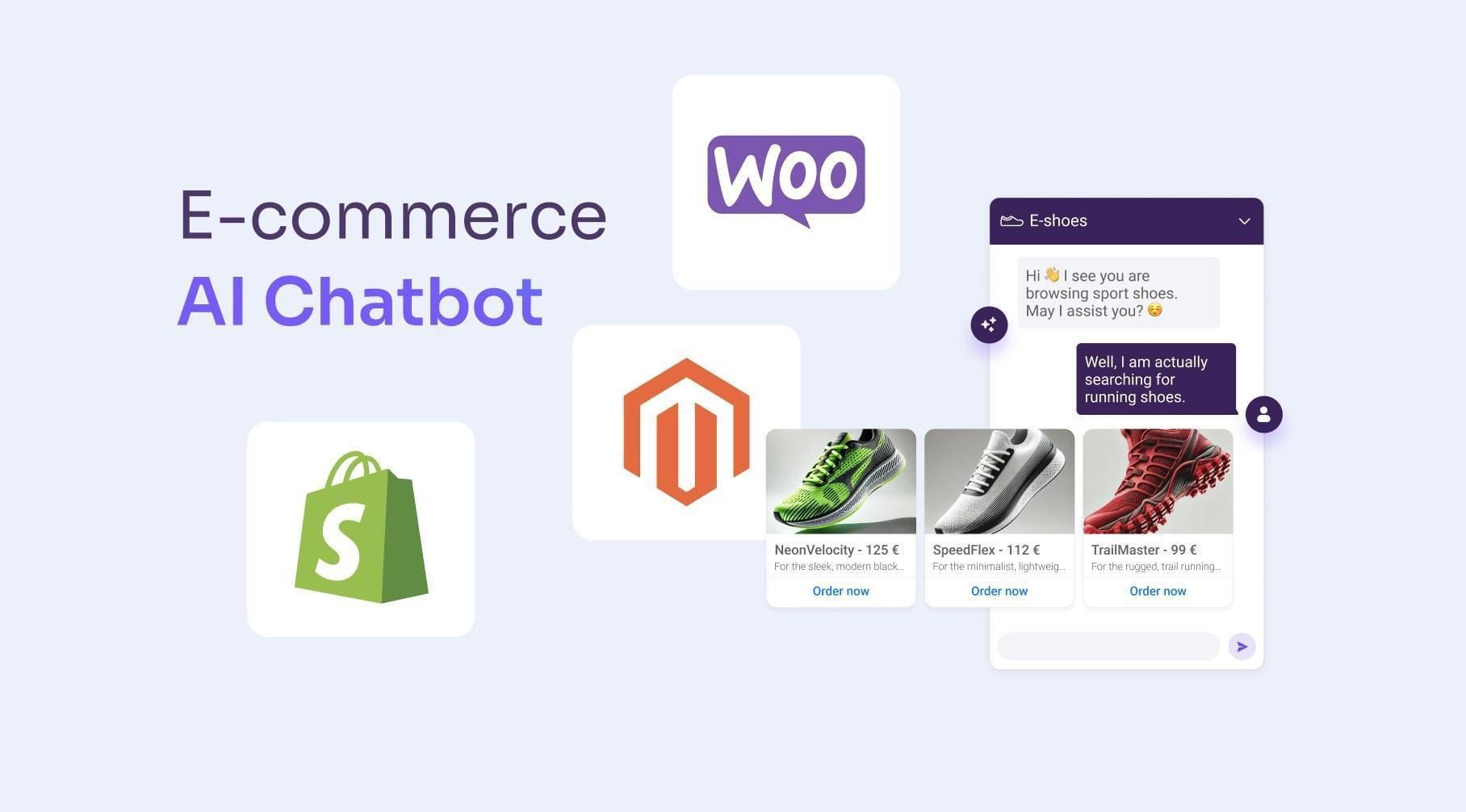
Most of your support tickets all come down to the same questions: Where's my order? Can I return this? Does it ship to Canada? Is this back in stock?
At 2 AM, expect that no one in your team will answer those immediately, but if you have an AI Chatbot? Those questions are answered automatically.
The bar is high: around 72% of shoppers expect a reply within 30 minutes, but most online stores reply within four to six hours. The gap means customers are finding better offers and are abandoning their carts.
The good news is that an AI chatbot can be implemented on your e-commerce store in just an afternoon.
The quick version
AI chatbot for your online store in five steps:
Connect your store's data, making the AI chatbot familiar with your products, policies, and orders.
Train it on your FAQs: returns, sizing, shipping, so that the AI will give accurate answers.
Enable the channels your shoppers use: include an AI chatbot on your social commerce and live chat on your site.
Set rules: anything it can't handle or answer gets transferred and handled by a human agent.
Test it: by visiting your store in Incognito mode or on a different device and pretending you’re a customer asking questions.
What a good e-commerce AI chatbot does
The best ones are the ones personalizes recommendations in real time. These are the ones that use natural language processing and the knowledge base that you gave it. All while the complicated and specific questions get handed to a human agent.
The best AI chatbots for e-commerce, and the pricing trap
Per resolution. Intercom's Fin costs $0.99 for every conversation it resolves, plus a seat plan starting at $29 per seat per month. Though it's a capable AI, Intercom says Fin resolves only about half of customer conversations in real-world use. In practice, this means that you pay for each AI-handled conversation while still needing human agents to handle the rest.
Per resolution, twice. Gorgias is built for Shopify and knows e-commerce well. Charging at around $0.90 to $1.00 per AI resolution, and that resolution counts as a ticket on your plan. One conversation, billed on two meters.
AI as a paid add-on. Tidio is easy to get started with, but its $29 to $59 base plans don't include the AI Lyro add-on, which starts at $39 a month for 100 conversations and jumps to $749 at the next tier. Read more about it here as we break down Tidio's pricing.
None of these are scams; they are priced so your bill wouldn't grow, just as when your store is doing well.
Tool | Starting price | How the AI is billed | Best for | Honest limitation |
Yaplet | Free, then from $23/mo | Included in the plan: 100 free AI answers/mo, then pay-as-you-go | Stores that want chat, AI, and channels on one bill | Younger than the incumbents, smaller add-on ecosystem |
Tidio | Free, paid from $29/mo | Lyro AI is a separate add-on, from ~$39/mo for 100 chats | Small stores starting simple | Big jump to the $749 tier; AI costs extra |
Gorgias | From $10/mo (50 tickets) | 0.90to1.00 per resolution, also counts as a ticket | Shopify stores that live in a helpdesk | Resolutions billed twice; Shopify-centric |
Intercom Fin | Seats from $29/seat/mo | $0.99 per resolution, 50/mo minimum | Larger teams already on Intercom | Seat fees plus per-resolution adds up fast |
Step 1: Connect your store and content
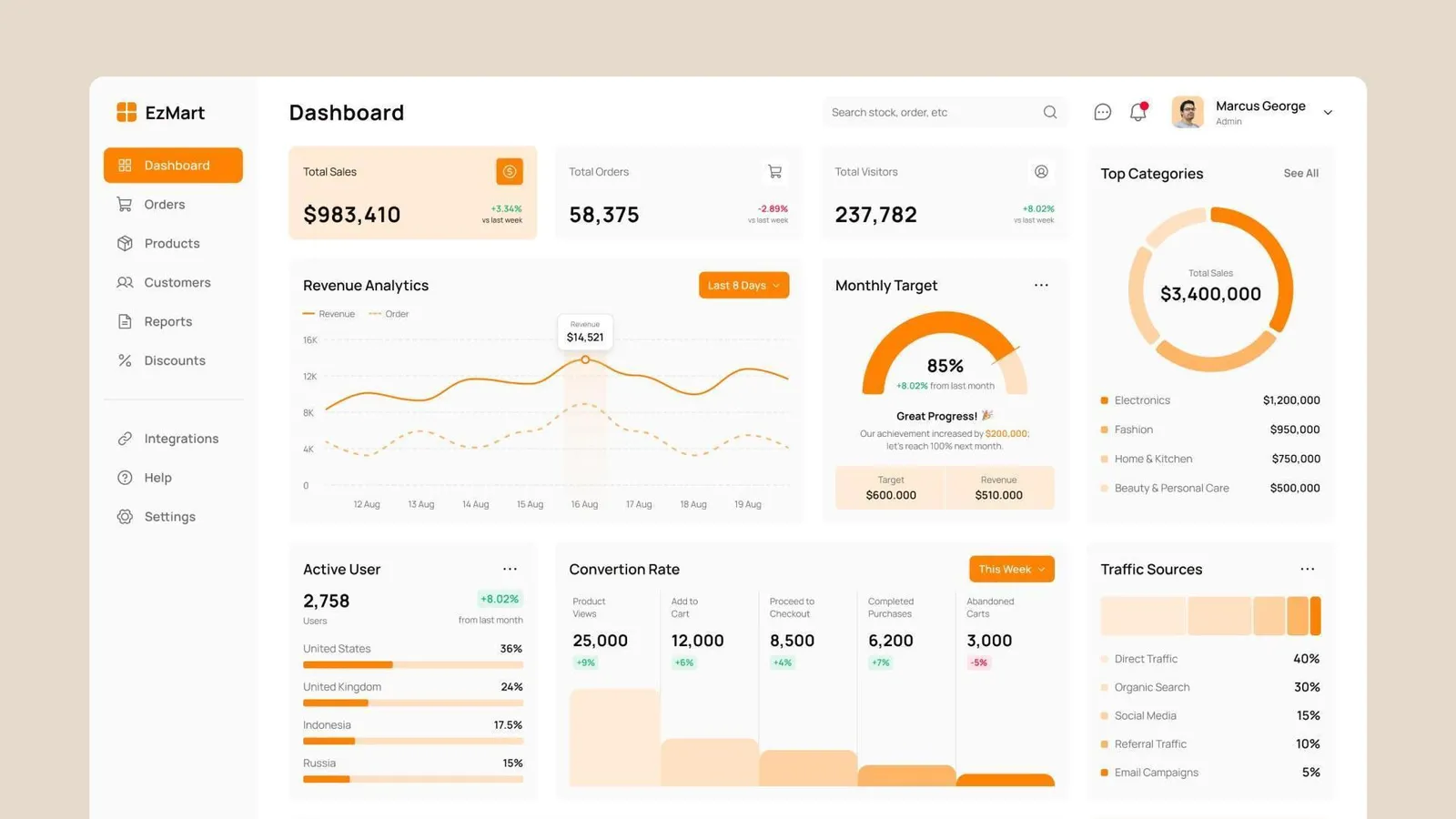
Your chatbot only becomes smart when you give it the proper input and content. Feed it everything a newly hired support rep would need: your site and sitemap, your shipping and return policy, FAQ, and sizing guides.
Connect Shopify to your store so the bot can pull live product and order data. This allows it to track and answer stock questions. Tools, like Yaplet, let you add these sources from a dashboard with just a few clicks.
Step 2: Train it on the questions you actually get
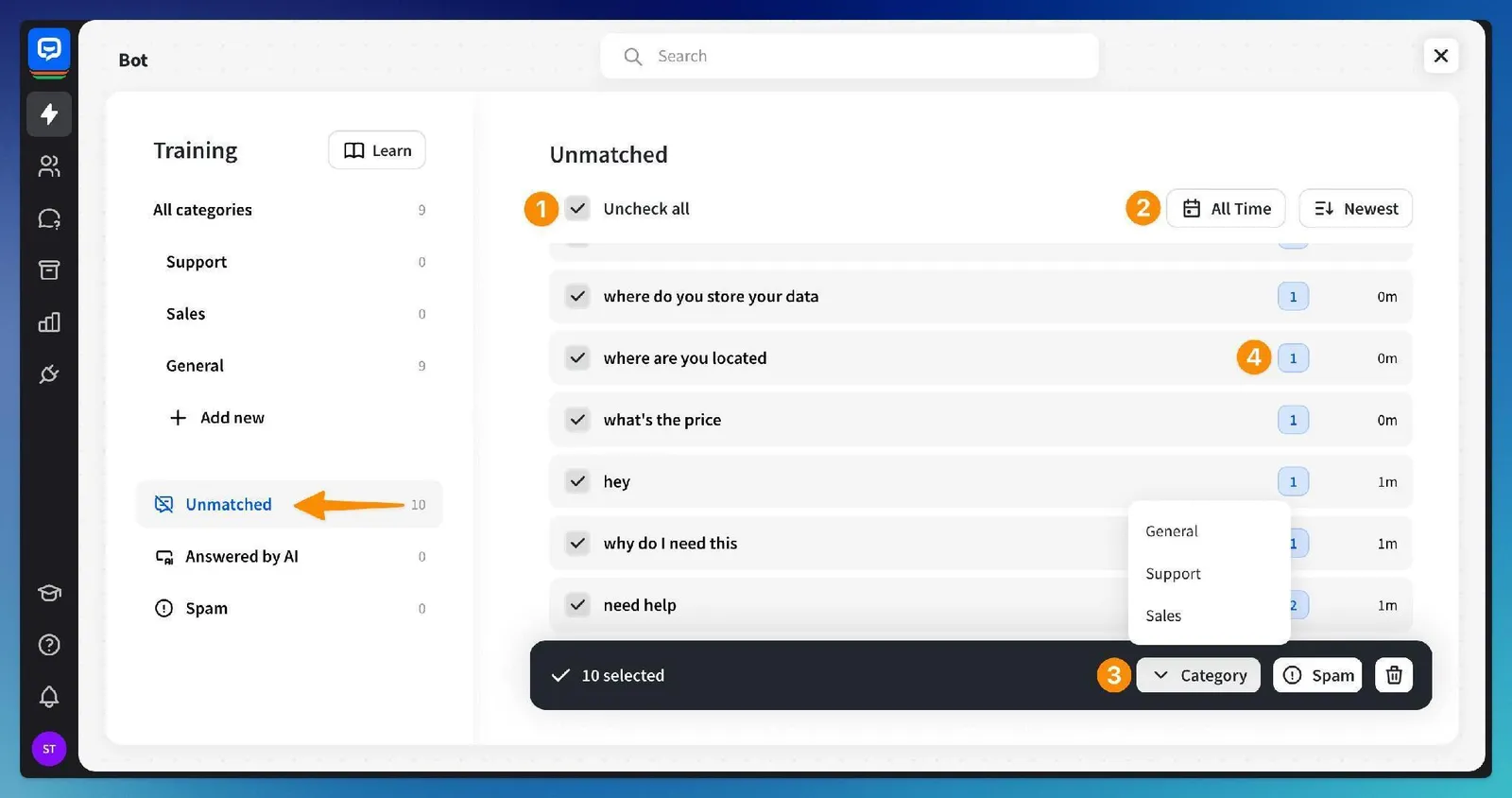
In your store’s inbox, open and extract the ten questions that are frequently asked. From there, write a clear answer for each, especially the ones that are about money.
This might be your return window, who pays for the return fees, delivery times, and damaged-item policy. The bot internalizes your policies. Word for word. So if there are any vague answers in, that means there will be vague answers out.
Step 3: Turn on the channels your shoppers use
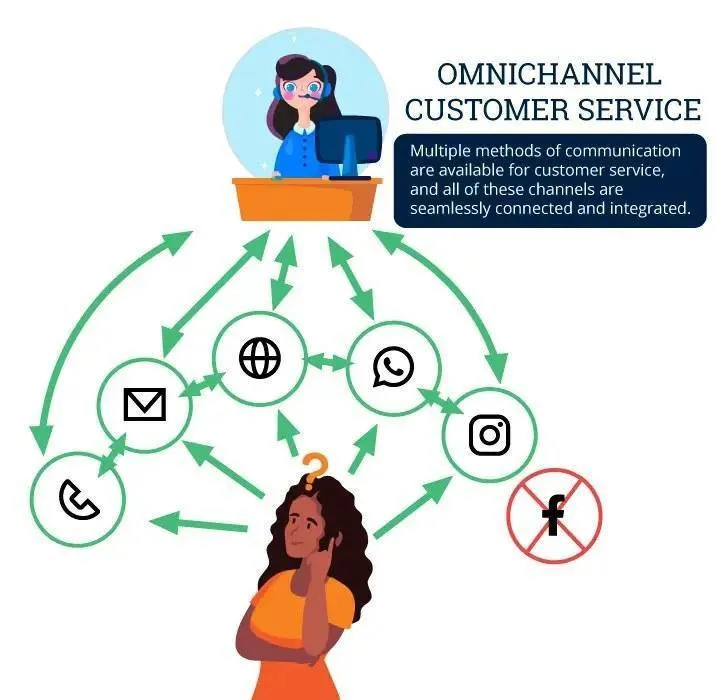
Don’t just limit your shoppers to messaging from your site; also add a live chat widget to your store, and connect it to WhatsApp, Facebook, and Instagram for social commerce.
The goal is a single inbox where the AI can answer across different platforms. A message from Instagram at midnight should get the same immediate response as one who is on your store site.
Step 4: Set handoff rules for a human agent
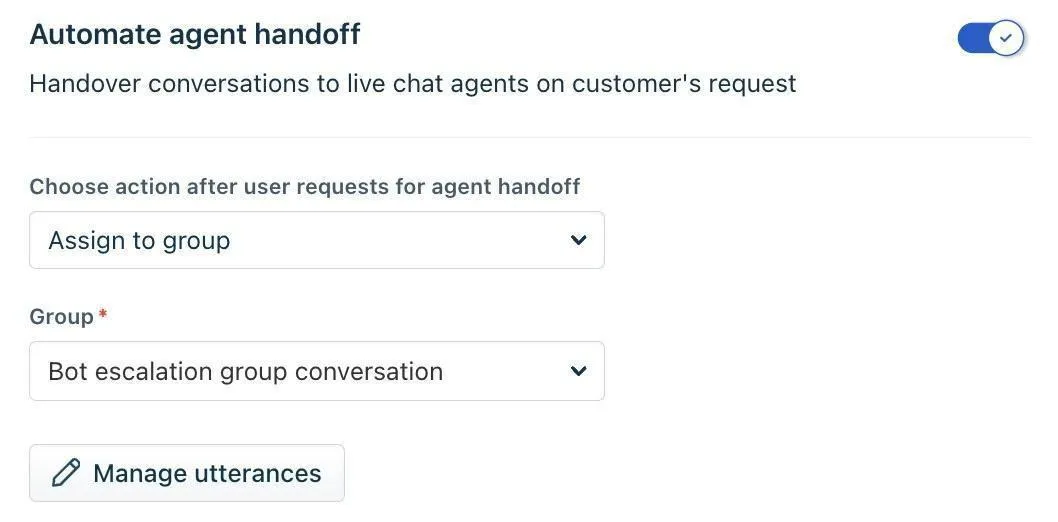
A trusty AI chatbot routes the chat to a human agent (with full history attached), especially when it’s uncertain, when the shopper seems upset, or when it’s a refund or high-value order.
Just like the way Vex does when it’s not confident or unsure. Set after-hours automated replies. This is so late that chats get “a person will reply by 9 a.m” instead of an empty inbox on the shopper’s end.
Step 5: Test it like a shopper, then go live

Before publishing, test it hard, attack it with possible, specific questions that it might receive from future shoppers. Ask your most common questions first, then a tricky one (“wrong size, it’s been 39 days, what now?”), Then something off-topic to make sure it’s not making things up. Also, check whether the handoff reaches a person. When all is good, drop the widget on your store and go live.
Set it up for free this afternoon
Start with Yaplet’s free plan, which includes the Vex AI agent, the live chat widget, and an inbox.
All ready within five minutes, no developers to run through bugs. When volume grows, the Growth plan is $79 monthly (billed yearly) and includes seats, widgets, workflows, analytics, and AI answers, all at one flat price.
Common mistakes that kill chatbot trust
Lack and poor knowledge base, a 5 FAQ entries will return most questions to your team. Make sure to be specific and cover as many questions as possible.
Unclear/ineffective transfer. A bot that traps people without any way to reach a human support does more damage than having no bot at all.
Ignoring social channels. If you also sell on Instagram or run Facebook Messenger ads, expect questions to be there as well, and make sure the bot responds to them.
Setting and forgetting. Read transcripts from conversations weekly for the first month. Since your catalog and policies change over time, the AI agent should also stay up to date.
Skipping the per-resolution math. Make sure to estimate the busiest months before choosing a usage-based tool. Demo is cheap, December isn't.
FAQ
How much does an AI chatbot for e-commerce cost?
Tools for per-resolution, like Intercom's Fin, run about $0.99 per closed conversation (including seat fees). Yaplet’s free plan with 100 AI answers monthly. The Growth plan is $79/month billed yearly.
Can I set up an AI chatbot without a developer?
Yes, modern chatbot builders require little to no code. You just connect it to your store, provide your store’s FAQs and policies as content sources. And by pasting a snippet of code or installing the app, you can get it live on your store.
What can an e-commerce AI chatbot handle on its own?
It handles most of the repetitive tasks in customer support. Think of tracking records, returns, shipping, stock, sizing questions, and even basic product recommendations.
Is there a free AI chatbot for e-commerce?
There are a few. Shopify Inbox is free, but it’s only basic live chat with suggested replies, not an AI agent that handles replies. Meaning to say it can’t resolve orders or answer return questions on its own.
The takeaway
A good AI Chatbot won’t entirely replace your support team, and it shouldn't. Instead, it helps to take 75% of their work off their hands so they can handle orders that need human support. Better customer satisfaction. Fewer abandoned carts, all set in one afternoon.
Pick a tool that is effective and whose pricing won’t surprise you. Something that can grow alongside you. Something you can trust through the changes you go through.
Start with Yaplet and never miss another opportunity to reply to shoppers, even if everyone on the team is asleep!