

"We replaced three tools with Yaplet and our response time dropped from 4 hours to 2 minutes. The AI gets it right almost every single time."
MK
Maya K.
Head of Support, SaaS company
A branded knowledge base, in-chat article search, and AI that answers from your own articles, so customers help themselves.

 on G2 & Capterra| SEO-ready
Looks great everywhere
Write the article once. Yaplet shows it in every place a customer might look, no copy-pasting between tools.
Public knowledge base
Hosted on your subdomain
Acme Knowledge Base
Getting started
12 articles
Billing & plans
8 articles
A clean, branded help site at help.yourcompany.com that customers open in any browser. Categories, subcategories and search included.
Inside the chat widget
Help tab on your site
Visitors browse and search the same articles from the help tab in your Yaplet widget, without leaving your page.
Inside an AI reply
Vex cites your articles
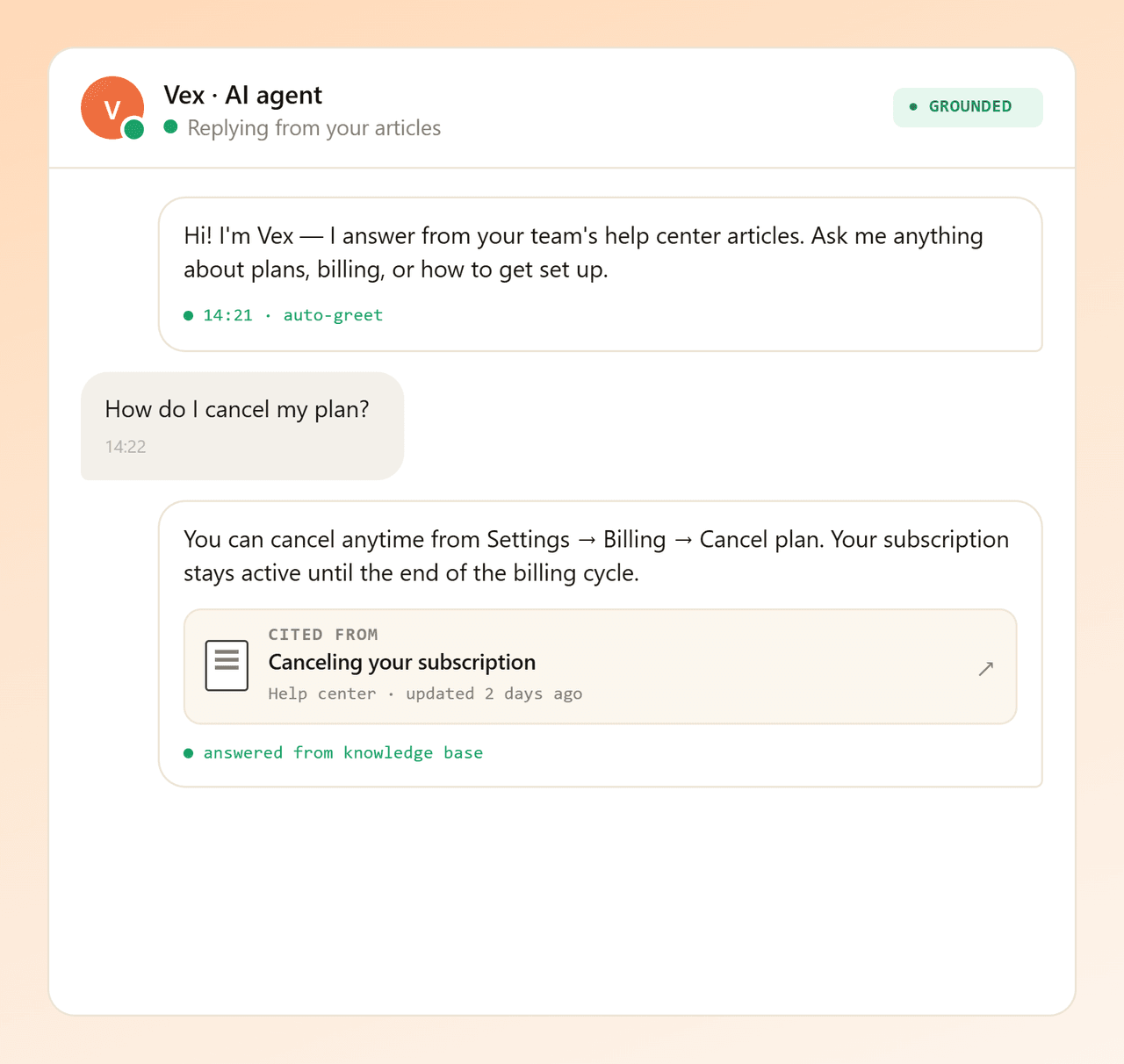
Vex reads your knowledge base, answers customers in chat, and links the source article every time.
Features, not fluff
Yaplet's knowledge base is a publishing tool, not a glorified FAQ list. Write, organise, translate and publish from one screen.
A WYSIWYG editor for headings, lists, links, images and more. Skip the markdown gymnastics. Write the article like a doc.
Group related articles into nested categories so customers find the right corner of your knowledge base fast.
Pick a main language and any number of additional ones. Translate each article per language, and visitors see the right one.
Yaplet hosts your knowledge base as a public, browseable site. Share a link, link from your site, or both.
A fast search box on the public site and inside the chat widget. Customers type a question, articles surface in milliseconds.
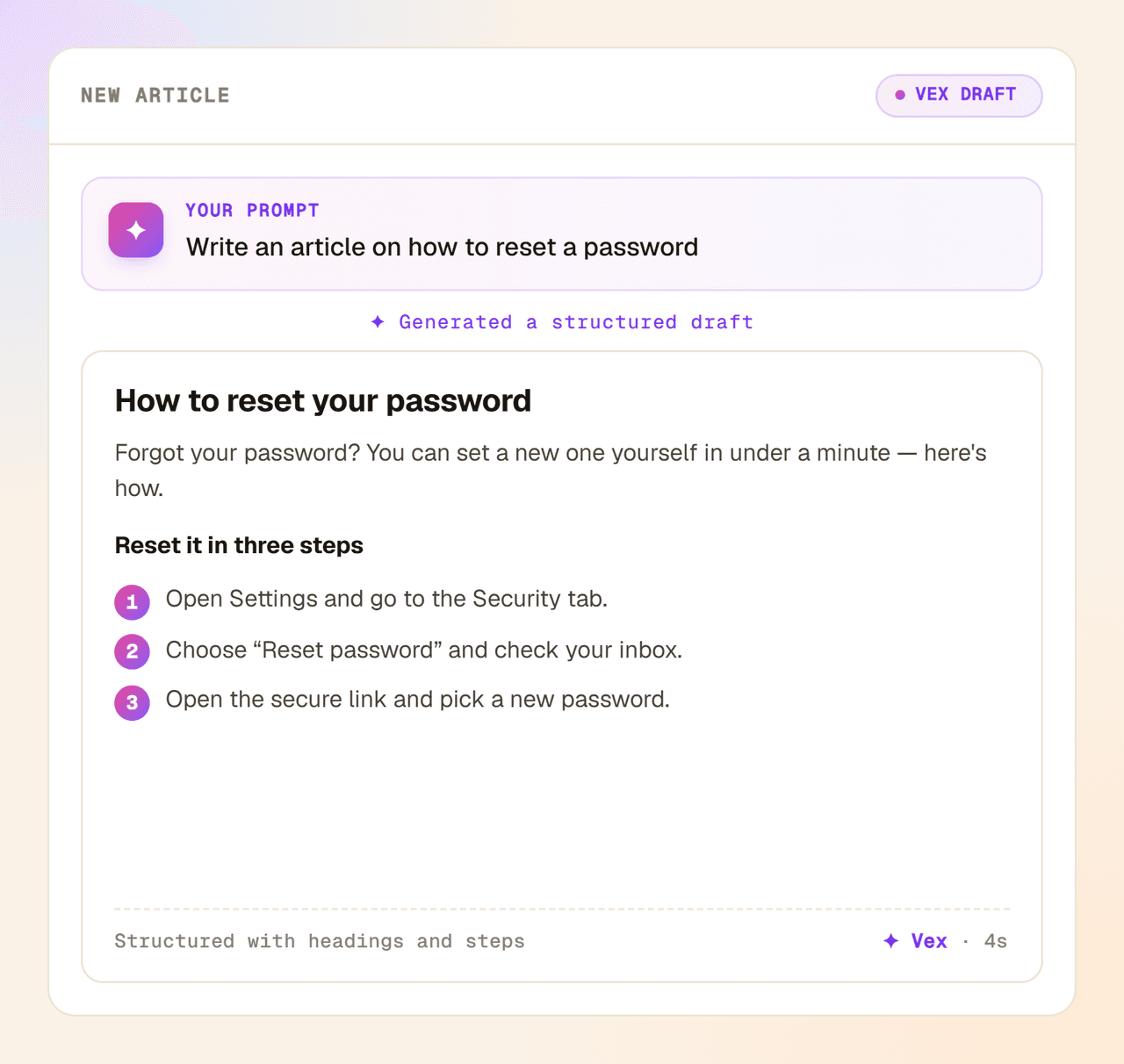
Describe an article and AI writes the first draft for you. Generate a title, or highlight a passage to rewrite or expand it.
Self-serve, all day
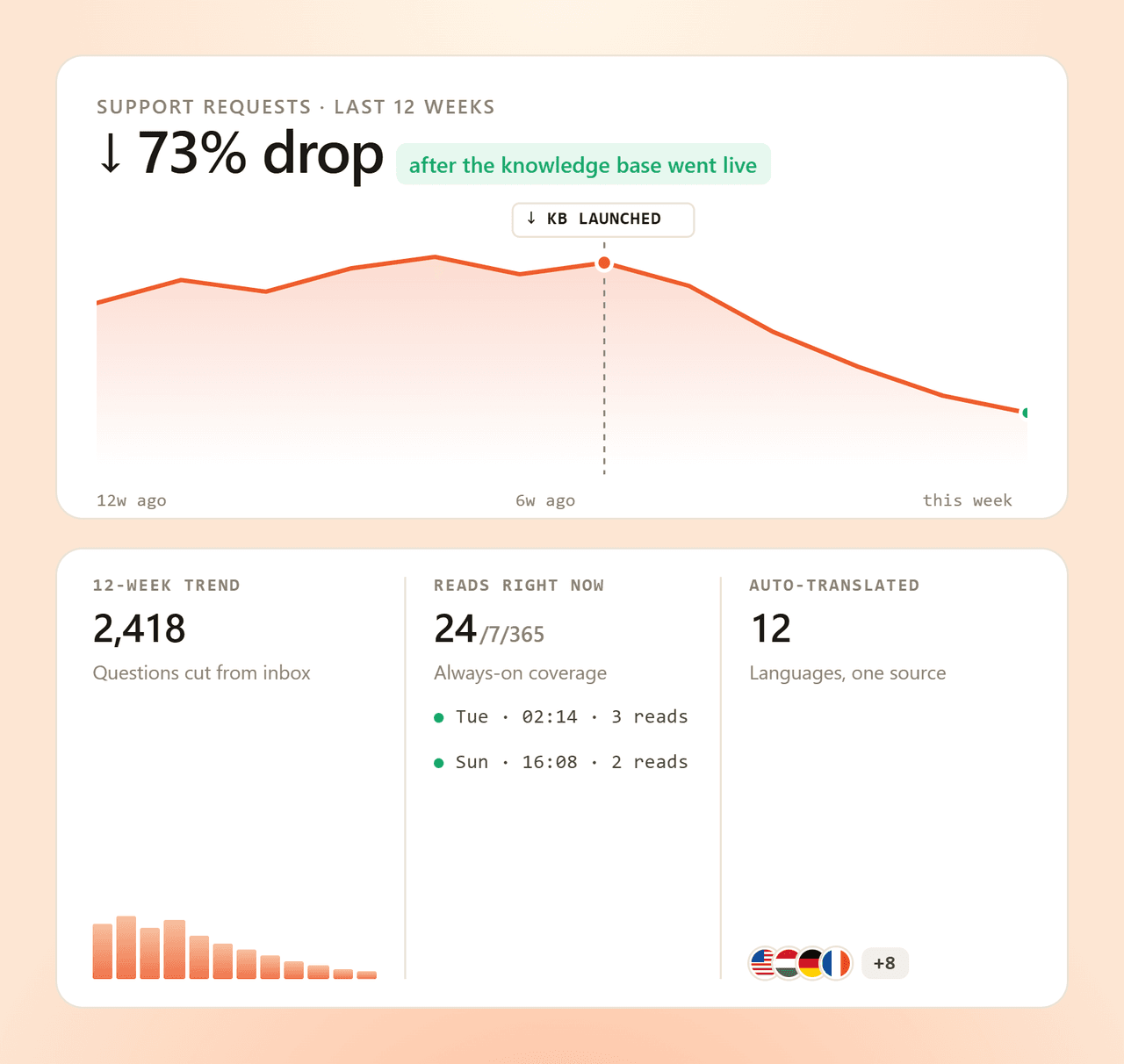
Most support tickets repeat the same five questions. A good knowledge base lets customers solve them at 2 a.m. on a Sunday, in every language you publish. Your inbox quiets down, and nobody feels ignored.
Powers Vex AI
Vex, Yaplet's AI agent, reads your knowledge base and replies only with what you've written. No hallucinated answers. Every reply links to the source article, so customers can read deeper.
AI drafting
Describe what an article should cover and AI drafts it for you, right in the editor. Highlight any passage to rewrite or expand it, and let AI suggest the title before you publish.
No engineers needed
No project plan. No IT ticket. Create a knowledge base, connect it to your widget, and let AI draft the first articles for you.
Name it, pick a primary language, and add any extra languages you'll publish in. Run separate knowledge bases per product or audience if you need to.
Pick a Yaplet widget to host the public knowledge base and surface articles inside the chat. Same content, two surfaces, no extra config.
Open the editor and write, or let Vex generate, continue and refine drafts for you. Flip the publish toggle and the article goes live and feeds the chatbot.
Start free, write your first article in minutes, and let your knowledge base do the answering. The free plan includes 100 AI replies a month. Need more? Top up from $5 and pay only for what you use — no subscription, no expiry.
Common questions
Short answers. Still stuck? Open a chat, we'll reply ourselves.
Talk to a real person
We use Yaplet too. Try it on us.
Yaplet hosts a public knowledge base for you: a browseable site with your branding, categories and search. The same articles also appear inside the chat widget on your site, so customers find them either way.
No. Yaplet has a rich-text editor. Type, format and add images the same way you would in any modern doc tool. No code, no markdown.
Yes. Pick a main language and add any number of additional ones. You translate each article per language, and visitors see the version that matches them.
Yaplet's Vex AI reads your published articles and uses them as its source of truth when replying in chat. It cites the article it pulled the answer from, so customers can click through and read more.
Yes. There's a search box on the public knowledge base and another inside the chat widget. Both run on the same article index, so they stay in sync.
You group articles into categories, and you can nest subcategories inside them. Each category and article gets a clean slug-based URL that's easy to share and search-engine friendly.
Yes. The knowledge base is included from day one. Write articles, publish your knowledge base, and switch on the in-widget help tab. Paid plans add advanced AI features and more team seats.
The free plan includes 100 AI answers a month across your whole team. When you pass that, Vex doesn't stop: if you've added a prepaid balance, it keeps answering and you only pay for what you use. No subscription, your credit never expires, and a paid plan makes that same credit go further.
Reviews
Loved by people and teams that care about making every customer interaction more insightful and efficient.
G2Capterra