

"We replaced three tools with Yaplet and our response time dropped from 4 hours to 2 minutes. The AI gets it right almost every single time."
MK
Maya K.
Head of Support, SaaS company
Vex answers your customers on its own using your help docs, in 100+ languages, day and night, and brings in a teammate when needed.

 on G2 & Capterra| Private to your org|100 AI answers free every month
Trained on what you already have
Point Vex at the things you've already written (help docs, FAQs, your website, uploaded files) and it turns them into accurate, on-brand replies. No prompts, no fine-tuning, no AI engineer.
Knowledge base articles
Any article you publish in Yaplet's knowledge base is available to Vex.
FAQ entries
Question-and-answer pairs you add by hand for the questions you get most often.
Website URLs & sitemaps
Point Vex at your public pages or a sitemap and it crawls them on a schedule.
Uploaded documents
Drop in PDFs and other simple documents. Vex extracts the text and learns from it.
Plain text snippets
Paste in policies, scripts or guidelines that don't live anywhere else yet.
Past conversations
Vex learns from how your team answered real tickets, and flags the ones it would have got wrong.
Vex AI
Trained on your content
Connected sources
Hi, what's your refund policy on opened items?
Opened items can still be returned within 14 days for a full refund — just keep the original packaging. Want me to start a return for you?
Inside Vex
Vex is built into Yaplet, not a separate tool you wire up. It works on every channel in your inbox, answers on its own, and only escalates when it should.
Vex pulls answers from your knowledge base, FAQs, website pages and uploaded documents, so customers get accurate, on-brand replies.
Every reply links back to the article, FAQ or document it came from. Customers trust the answer, and you can check Vex's work in one glance.
Vex understands and responds in over a hundred languages, matching whatever language your customer wrote in.
Pick Vex's name, tone of voice and reply style in plain language: friendly, formal, playful, professional. It sounds like your brand, not a generic chatbot.
When a question gets complex or sensitive, Vex stops and routes the conversation to your team with full context, not a blank chat — and whoever's on duty gets a push on their phone.
Conversations live in EU data centers, your content isn't used to train public models, and you stay in control of what Vex can see. GDPR-compliant by default.
Live chat, email, WhatsApp, Instagram, Messenger, Telegram. Vex helps wherever your customers reach you, from one inbox.
Vex flags any question it couldn't answer well, so your next help article writes itself instead of being a guess.
Vex doesn't sleep. Customers asking at 3am get an answer at 3am, and your team picks up the leftovers in the morning.
Set up in minutes
You don't need to train a model, write prompts or hire an ML engineer. Connect a knowledge source, choose how Vex should sound, and turn it on.
Hours back for your team
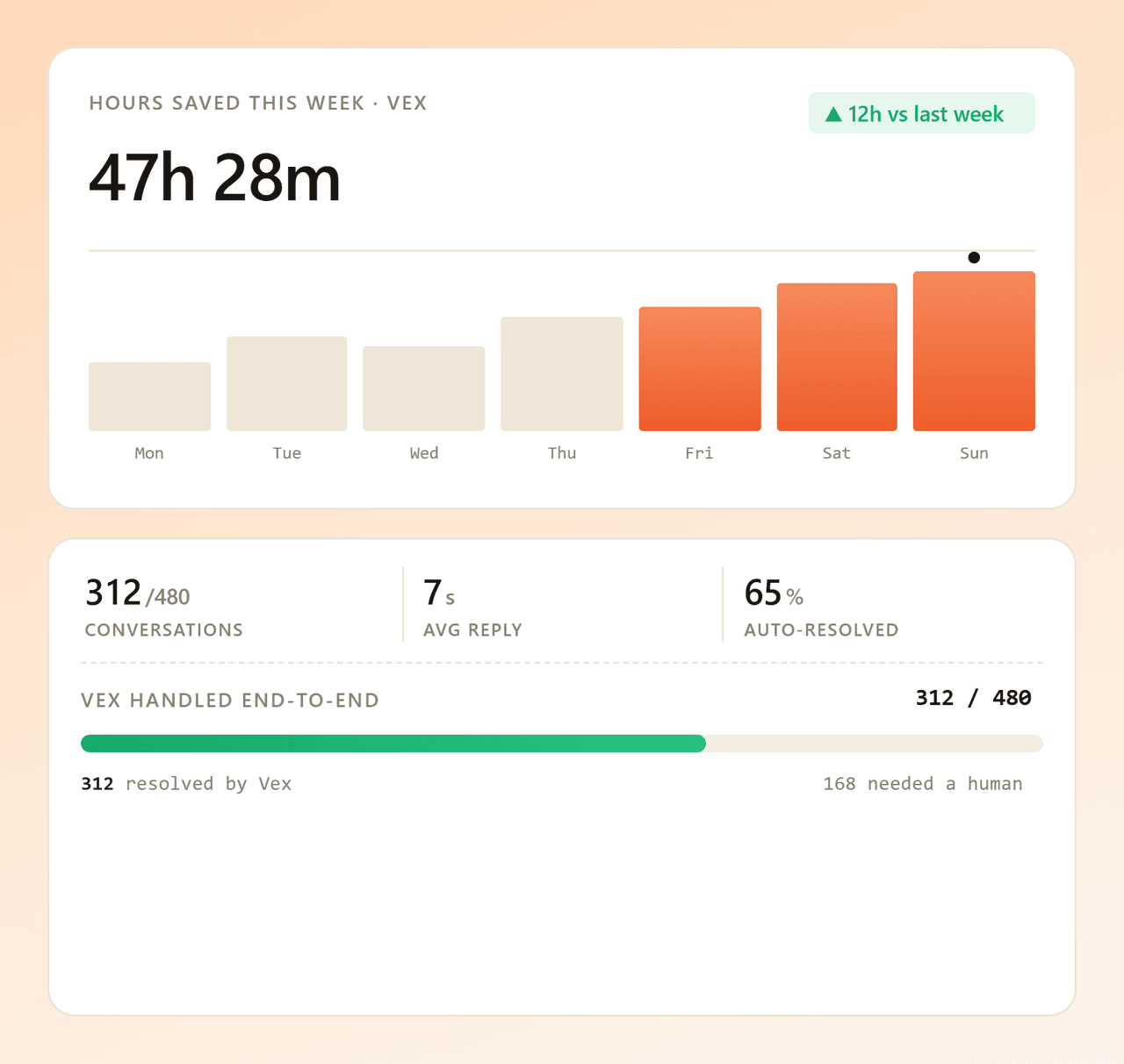
Vex handles the questions your team answers a hundred times a week (opening hours, refunds, where's my order), so the humans on your team can focus on conversations that need them.
More than chat
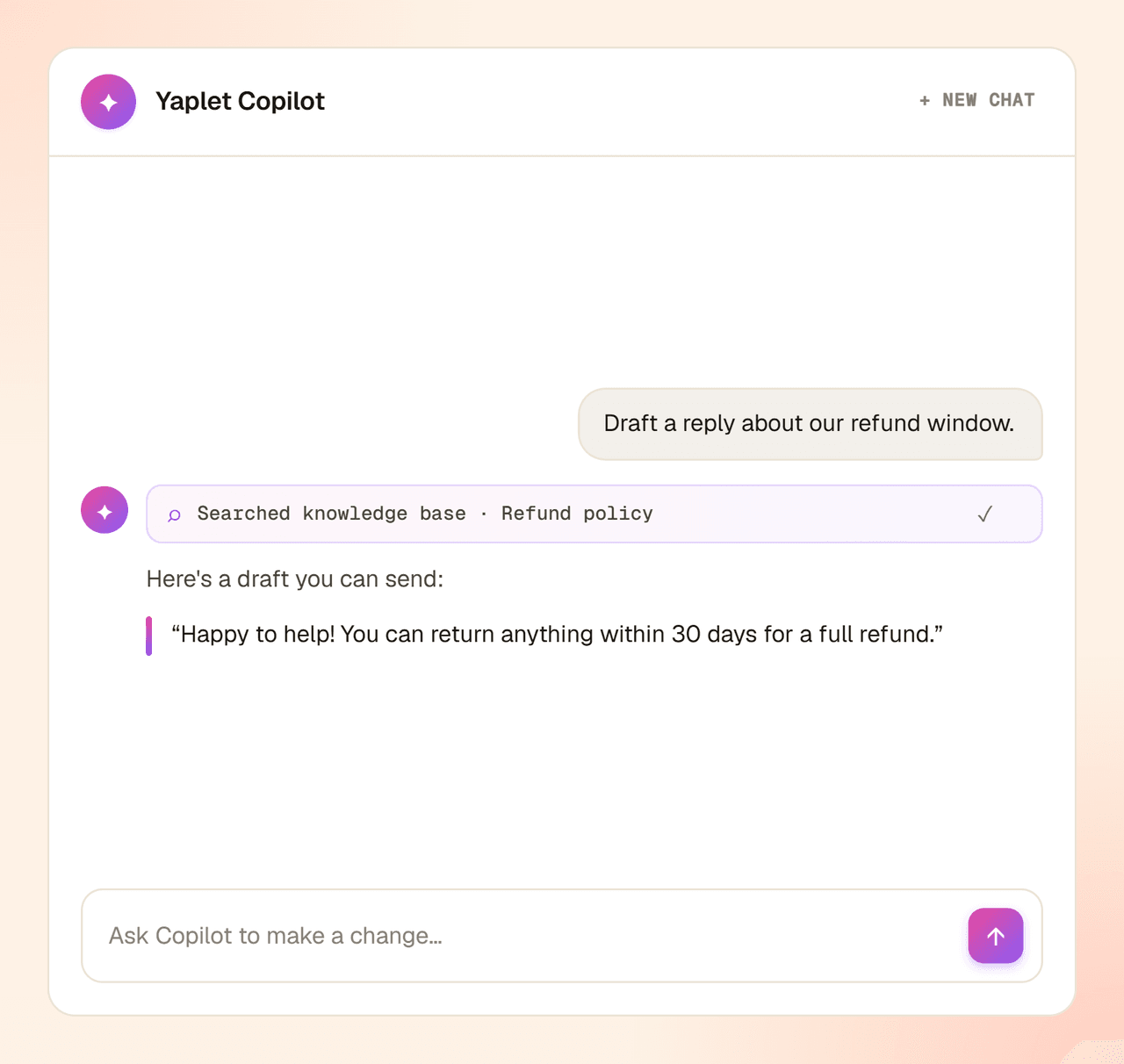
The same Vex that answers your chats can pick up your calls, and the same AI helps your team inside the dashboard. One brain, one knowledge base, every surface.
Learn more
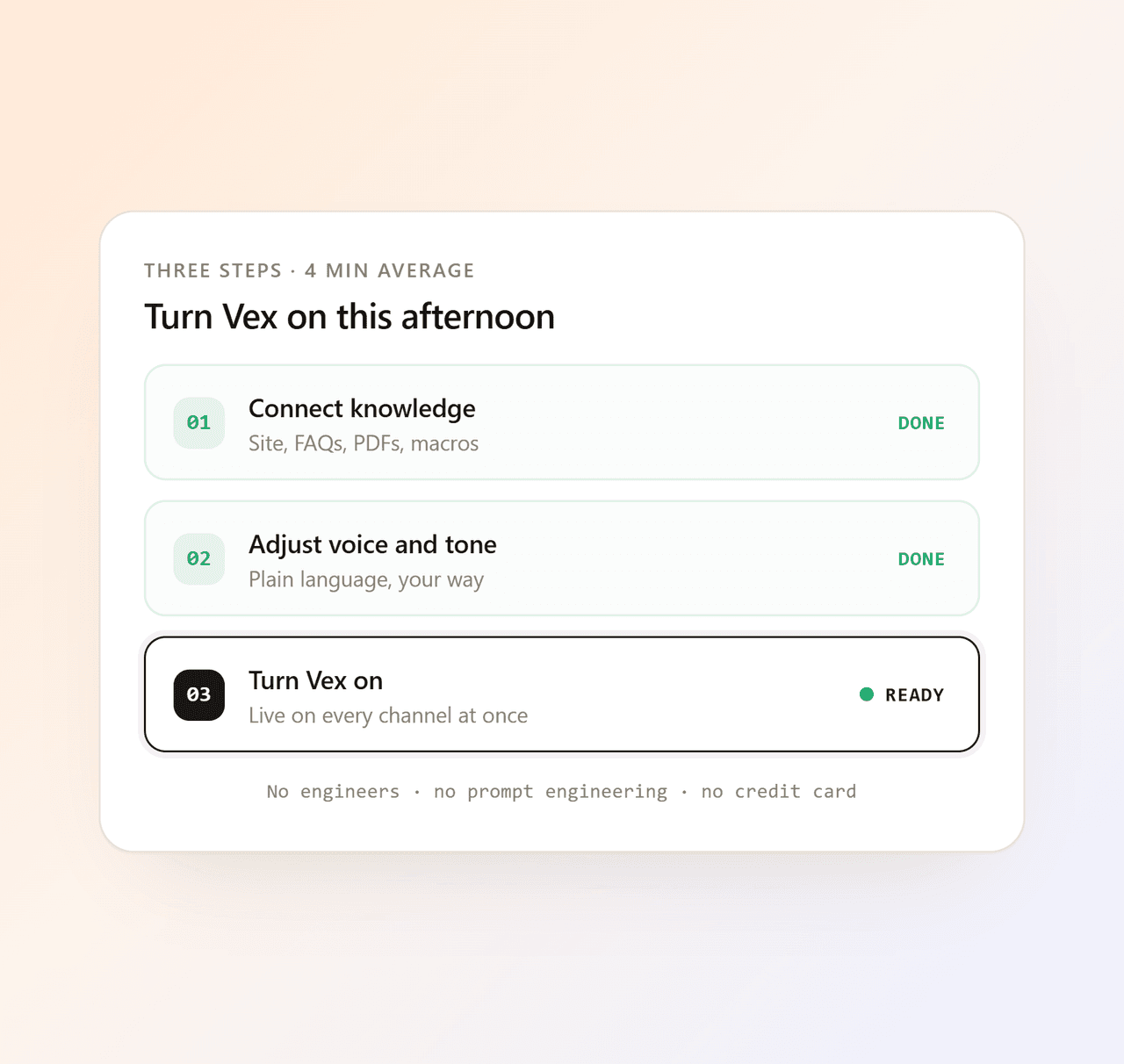
Three steps
No engineers, no project plan. Connect what you already have, give Vex a personality, and switch it on.
Add your knowledge base, paste a website URL, upload a document or import an FAQ. Vex starts learning right away.
Pick a name, choose a tone of voice, and decide when Vex should hand off to a human. No prompts to write.
Flip the switch. Vex starts answering customers, citing sources and only paging your team when it should, on every channel you've connected.
Start free with 100 AI answers a month, connect your content in minutes, keep the free plan forever. Need more? Top up and pay only for the answers you use.
Common questions
Short, honest answers about how Vex works and what it won't do. Question we missed? Open a chat. Vex will try first, we'll back it up.
Talk to a real person
We use Vex too. Try it on us.
Vex reads the conversation, looks at the content you've connected (knowledge base, FAQs, website, uploaded docs) and answers the customer, citing the sources it used. When the question is too complex or too sensitive, Vex stops and hands the conversation to your team with full context.
Only from sources you connect: your Yaplet knowledge base, FAQ entries you write, public website URLs you point it at, and documents or text snippets you upload. Vex doesn't make things up from the open internet, and it tells you which source it used.
Yes. Vex understands and replies in over 100 languages, and picks the language your customer wrote in. You can also tell it to stick to a specific language if you prefer.
Yes. You stay in control of how aggressive Vex is. Set a confidence threshold that decides when Vex should hand off to a human, choose which widgets and channels it answers on, and turn it off anytime. Your agents can also draft replies with AI assistance from inside the inbox while you tune the rollout.
No. Vex only answers from the content you've connected, and when it isn't confident, it doesn't guess. It asks a clarifying question, tells the customer a teammate is coming, or hands the chat straight to a human, who gets a push on their phone through the mobile app. The question also gets flagged for you, so the gap gets fixed for next time.
No. Vex is part of Yaplet. The free plan includes basic AI; paid plans extend usage and unlock advanced controls. There's no separate AI tool to buy, no per-resolution fee, no usage surprises at the end of the month.
The free plan includes 100 free AI answers each month. If you go over, Vex doesn't stop and doesn't force you to upgrade — as long as you've added a little prepaid balance, it just keeps answering and you only pay for the extra answers you use. Top up any amount from $5, no subscription required, and your credits never expire.
No. You connect your content and pick Vex's tone in plain language: friendly, formal, playful, professional. There's no prompt template to maintain and no AI engineer required.
Honest AI pricing
Start on the free plan, and only spend when your volume outgrows it.
The free plan includes 100 AI answers a month — no credit card, no expiry.
Busy month? Add prepaid balance from $5 and Vex keeps answering, billed only for the extra answers you use. No subscription, and your credits never expire.
Move to a paid plan and the same credits stretch further, so heavy AI usage costs less per answer.
Reviews
Loved by people and teams that care about making every customer interaction more insightful and efficient.
G2Capterra