

"We replaced three tools with Yaplet and our response time dropped from 4 hours to 2 minutes. The AI gets it right almost every single time."
MK
Maya K.
Head of Support, SaaS company
Your users report a bug in one click, and Yaplet attaches the screenshot, recording and everything your team needs to fix it fast.

 on G2 & Capterra| Captured in seconds
What's captured
Your user clicks the bug button. Yaplet grabs everything your engineers would have asked for and packages it into a single ticket.
The screenshot
The exact screen the user was on, with annotations they can draw on top.
A short screen recording
Optional video so your team sees the bug happen instead of hearing about it.
A session replay
Every click, scroll and input the user made before the report, in order.
Logs and metadata
Console errors, failed requests, browser, OS, viewport and the exact URL.
Bug report #482
From: alex@acme.shop · just now
[error] Uncaught TypeError: Cannot read properties of undefined
[warn]  Stripe.js loaded twice
[info]  POST /api/checkout 500 — 824ms
Browser
Chrome 134
OS
macOS 15.4
URL
/checkout
Inside every report
The same capture you'd pay Marker or Userback for, built into the widget your users already see. No second subscription, no new tab.
The exact pixels the user saw when things broke. They can annotate on top before sending.
When a still image isn't enough, users record a short video of the bug happening.
Watch the last 30 seconds before the report, every click, scroll and input, in order.
Every error, warning and log from the user's browser, bundled with the ticket.
Failed requests, slow API calls, status codes and response sizes, ready for triage.
Browser, version, OS, viewport, URL and any custom metadata you push, captured for you.
Triage in one place
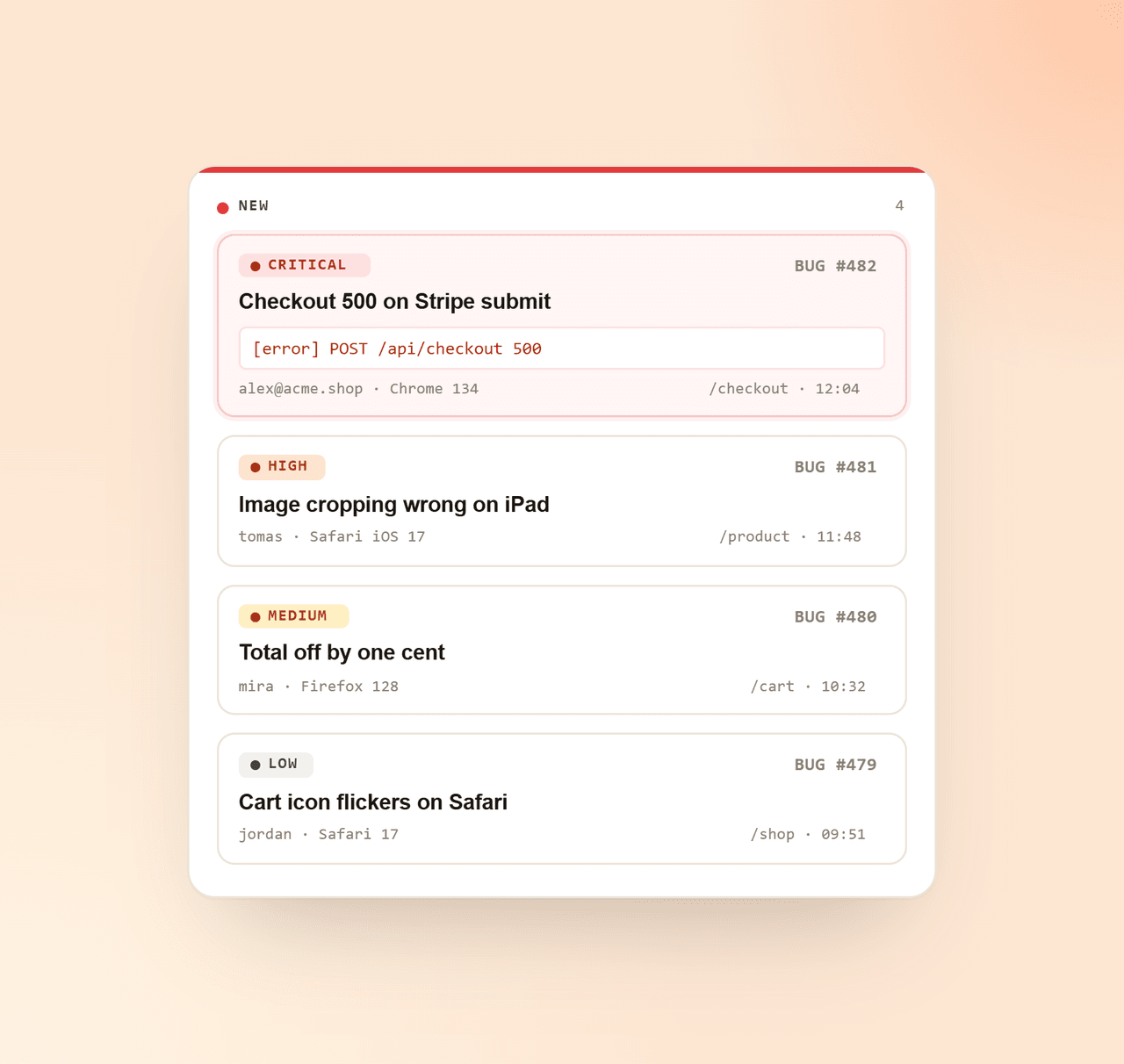
Bug reports land on a kanban board next to your chats. Drag, prioritise, assign, no jumping between Jira, email and Slack threads.
Close the loop
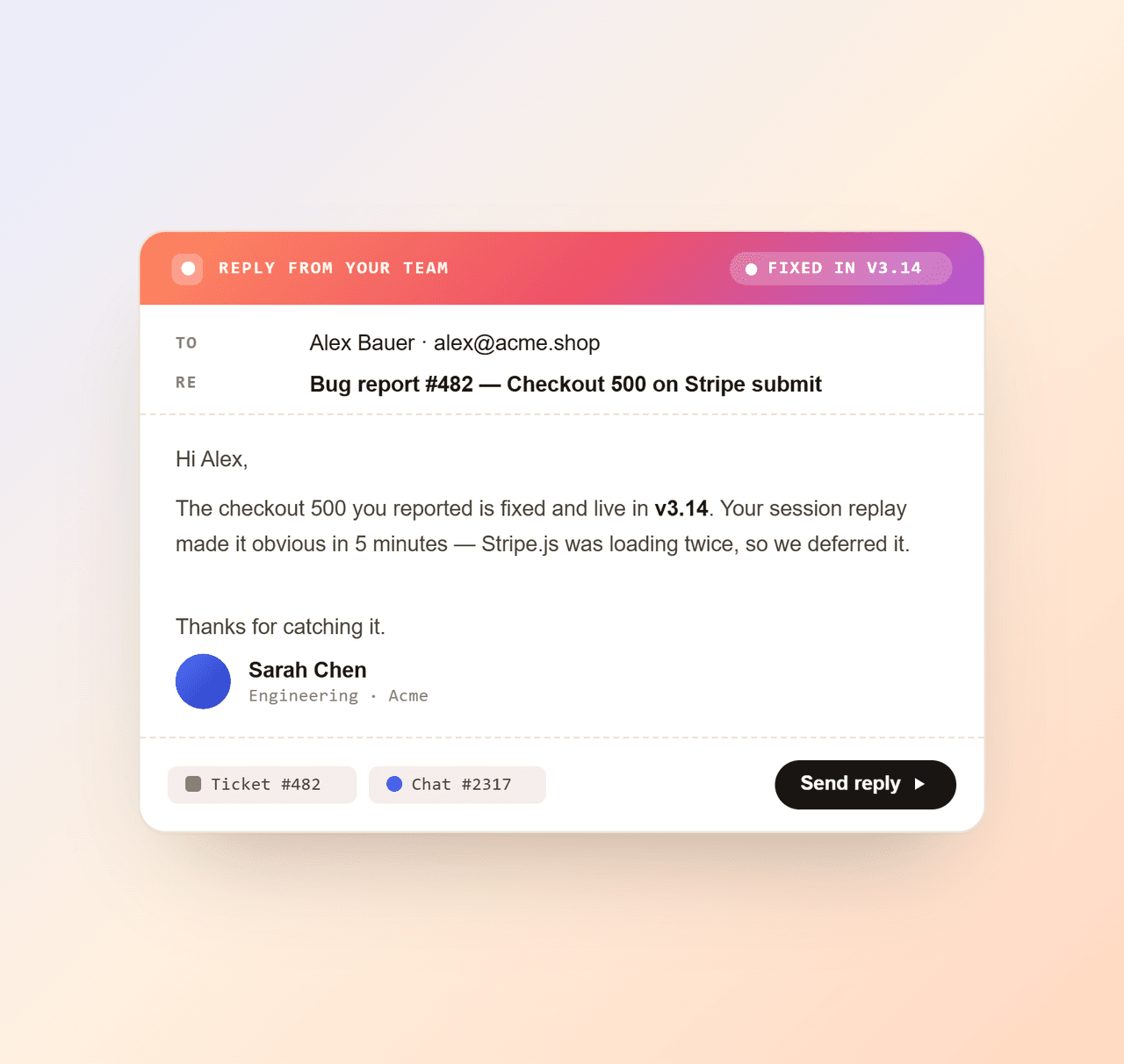
Send a personal, branded reply the moment you ship the fix. The reporter feels heard, churn drops, and a bug becomes a reason to stay.
Live in minutes
Already running Yaplet? Bug reporting is one extra line. Starting fresh? You'll have your first report before your coffee cools.
Sign up free, set up a board for bug reports, and pick what fields you want users to fill in.
Paste the snippet on your site (or use the WordPress, Shopify or WooCommerce plugin). Bug reporting is one extra call.
When a user reports, the ticket lands on your board with everything attached. Open, fix, reply.
<!-- Add this once, anywhere on your site -->
<script src="https://yaplet.com/api/sdk/loader?widgetId=YOUR_WIDGET_ID" async></script>
<script>
  Yaplet.initialize("YOUR_WIDGET_ID");
</script>Capture the bug, the context and the conversation in one ticket. Free plan forever, installed in minutes.
Common questions
Short, honest answers. Still unsure? Open a chat and we'll reply ourselves.
Talk to a real person
We use Yaplet for bug reports too. Try it on us.
On a kanban board inside the same dashboard you use for chats. Each report is a ticket with the screenshot, recording, replay, logs and metadata attached. Drag it across columns the way you would in Trello or Linear.
No. The reporting button lives inside the Yaplet widget that's already on your site. If they can use the chat, they can report a bug.
It's opt-in per widget and rules-based, so you choose which visitors get recorded. When enabled, the widget captures lightly in the background and only the relevant window is attached to the report. No performance hit your users will notice.
Yes. You can add the fields you want (steps to reproduce, priority, custom dropdowns) so users hand over exactly what your team needs to triage.
Yes. Bug reporting works on the web widget on phones and tablets too. The capture adjusts to what the browser allows.
Yes. Push your own product events and metadata (user ID, plan, feature flags, internal trace IDs) through Yaplet so the report carries the context only you have.
Yes. It's part of the forever-free plan. You get the widget, bug reporting and the inbox without paying a cent. AI triage is included too: 100 AI answers every month on the free plan, with simple pay-as-you-go credits if you ever need more, no subscription required.
The free plan includes 100 AI answers a month, no card required. Go past them and the AI doesn't stop or force you onto a subscription: top up a prepaid balance (from $5, credits never expire) and pay only for what you use. A paid plan makes that balance stretch further.
Reviews
Loved by people and teams that care about making every customer interaction more insightful and efficient.
G2Capterra