Bug reports with replay, without the per-project ceiling.
BugHerd pioneered point-and-click bug reporting for agencies. Yaplet keeps the same point-and-shoot feedback, adds a session replay so you can rewind the bug, and ships it as part of your support stack, not a separate per-seat tool.
- One-click bug reports with screenshot, console logs, network requests and a session replay
- No per-project caps, track bugs across unlimited apps on one plan
- Same tool as your live chat, AI agent and knowledge base
- EU-hosted, GDPR by default

 on G2 & Capterra| GDPR · EU-hosted
Side by side
Yaplet vs BugHerd, feature by feature.
BugHerd is the agency-favorite for client feedback on staging sites. Here's where Yaplet's bundle wins for product teams.
 Yaplet
Comparison reflects each tool's pricing model and standard capabilities, which may change over time. Check BugHerd's site for current plans.
Stop guessing what the user did
Every bug report comes with a rewind button
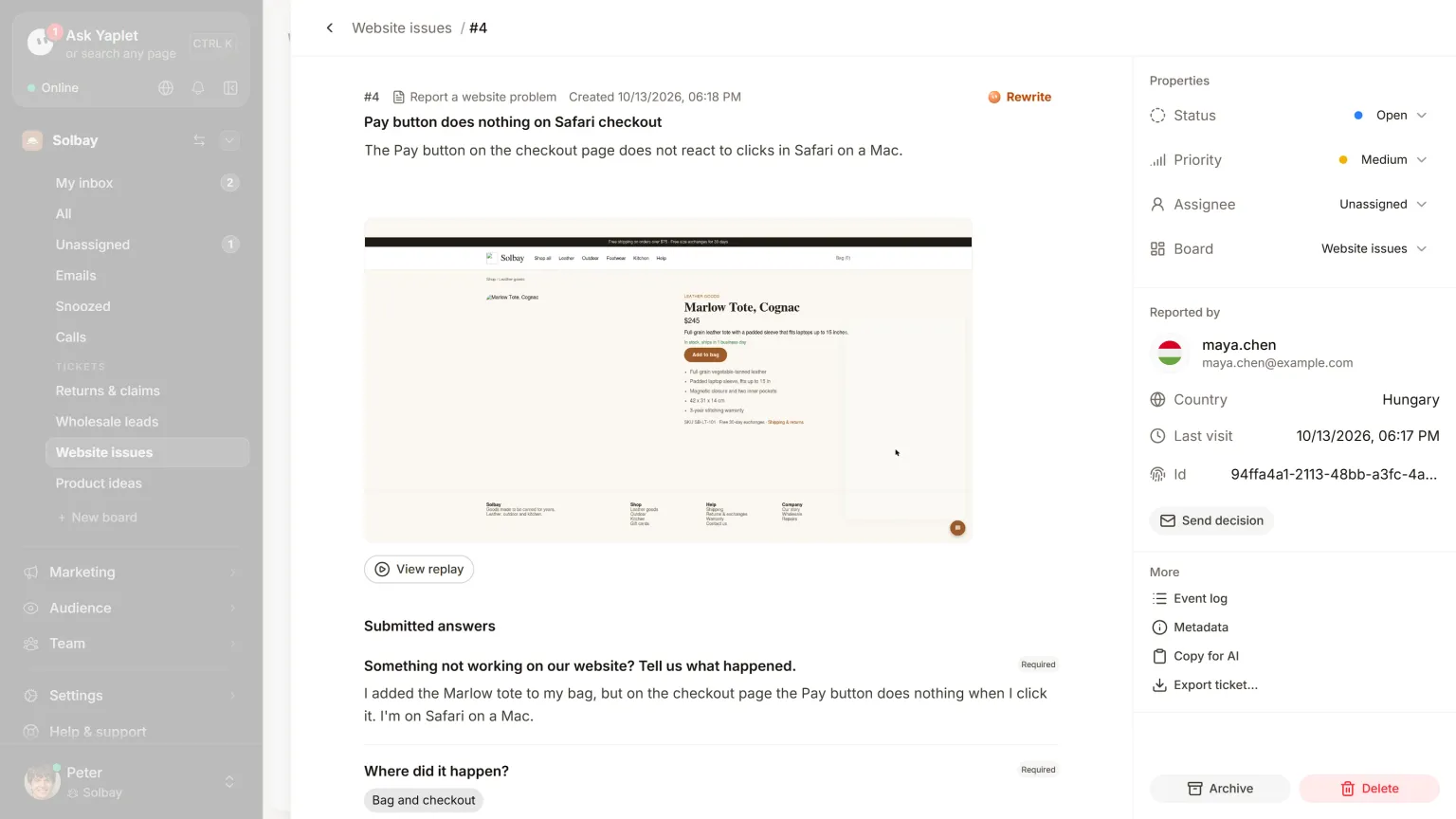
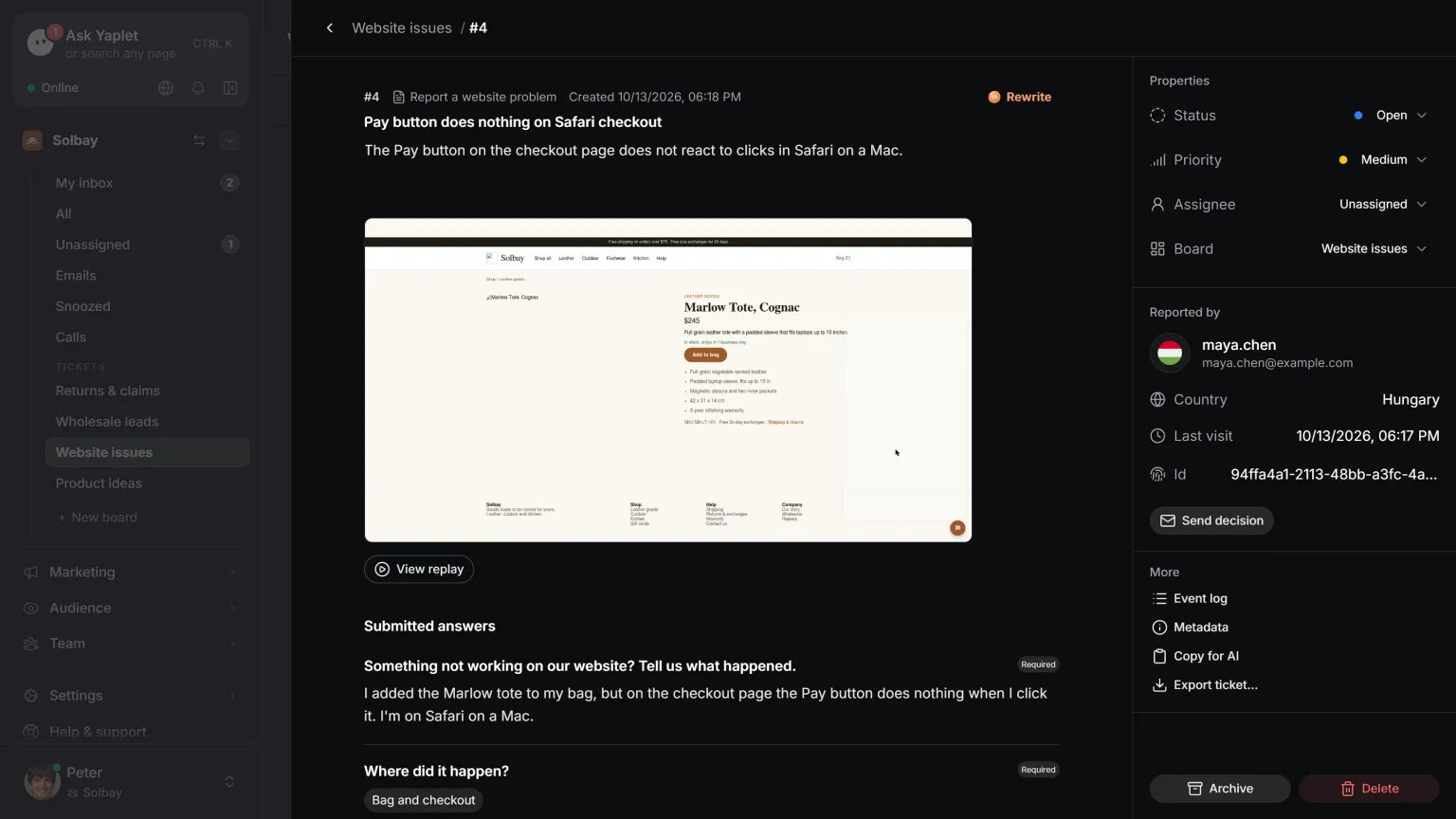
BugHerd captures a screenshot, the URL, and browser and OS details. Yaplet captures all of that and adds the console errors, the network requests AND the last 30 seconds of session replay, so you can watch the bug happen instead of guessing.
- Replay the last 30 seconds before the report, with clicks, scrolls, form values
- Console errors, network requests and browser info auto-attached
- Reproduce locally in minutes, not hours of back-and-forth

Bug reports talk to support
A bug that breaks the cart should be a support ticket, not a separate tool
BugHerd lives in its own dashboard. Yaplet's bug reporting is part of the same inbox as live chat, so the customer who reported the cart bug can be replied to, and the bug shows up next to their conversation history.
- Bug reports land in the same inbox as chat and email
- Reply to the customer who reported the bug without switching tools
- Convert a bug into a roadmap entry in one click

Capture bugs with replay, without a second tool
Free forever. Install one snippet, get bug reports with full session replay across all your projects.
Common questions
Switching from BugHerd, answered
Short, honest answers. Still unsure? Open a chat with us.
Talk to a real person
We can scope your migration in 15 minutes.
Yes. Yaplet's bug reporter works on any site you install the widget on, including staging and password-protected previews. Clients click a button, point at the issue, and the report (screenshot + console + replay) lands in your inbox.
Yes. The widget runs client-side, so private windows and auth-walled pages work fine. Session replay still captures what's visible to the user.
Yaplet pushes bug reports into JIRA, Linear, GitHub Issues, ClickUp, Trello and Asana. If you have a specific custom workflow today, drop us a chat and we'll confirm fit.
BugHerd's pin-on-screen client-feedback UX is the industry default for design agencies. If client review on visual mockups is your main use case (not in-product bugs), BugHerd may still feel more native.
Same principle. Standalone bug tools have richer agency-feedback UX; Yaplet wins on price, replay quality, and the fact that the customer who reported the bug is one click away.
Yes. Replays mask form inputs by default, redact sensitive fields you mark (e.g. credit card, password), and are stored EU-side. You can disable replay per project if your DPIA requires it.
Proof
Don't take our word for it
A 5.0 rating on Capterra, and a marketplace where the AI now answers more than half of all support chats without the team.
G2 & Capterraigitems: in more than half of this year's chats, the team didn't have to reply
"The repetitive questions are gone. The team now handles the less common cases, the ones we haven't automated yet."
Daniel
Head of Marketing, igitems