

"We replaced three tools with Yaplet and our response time dropped from 4 hours to 2 minutes. The AI gets it right almost every single time."
MK
Maya K.
Head of Support, SaaS company
Walk new users to their first win right after they sign in, with no-code guided tooltips anchored to your real buttons.

 on G2 & Capterra| No-code
Right inside your product
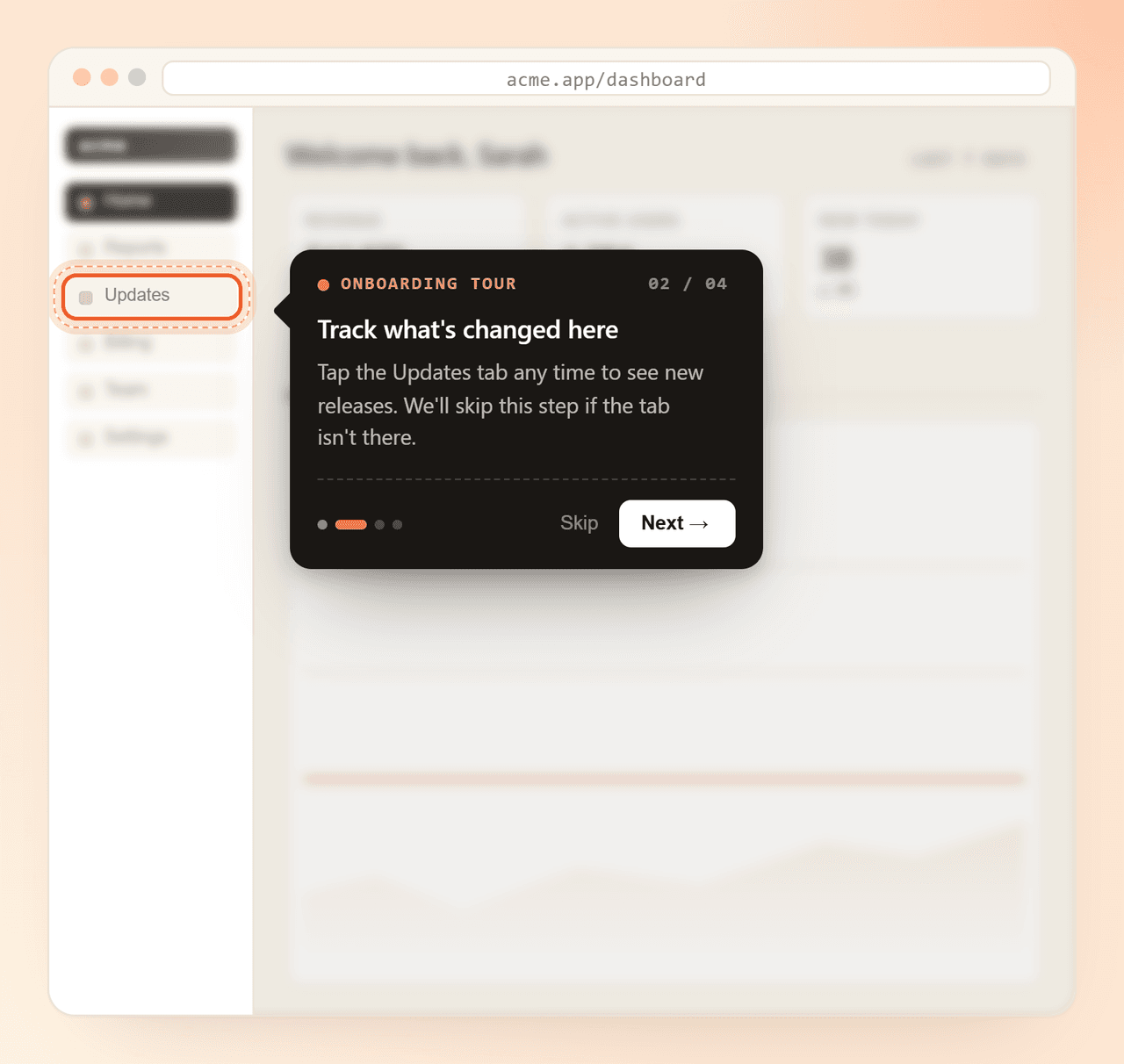
Tours run on top of your real app: same buttons, same menus. Yaplet anchors the tooltip to the element you pick and highlights the target, so users see what to click without matching a screenshot.
Step 2 of 5
Open the Inbox
Every conversation lands here: chat, email and more.
Anchored to real elements
Click any button, menu or input with the visual picker. The tooltip follows the element through layout changes.
Run by URL
Set a start URL. The tour waits for the right page before it opens, so it never fires in the wrong place.
Fallback selectors
Add backup selectors per step. If the element is missing, Yaplet tries the next one.
Skip if hidden
Steps tied to optional UI? Yaplet skips them when the target isn't on screen.
Inside Yaplet Tours
Same dashboard as your chat, CRM and knowledge base. One tool, not five. Point-and-click builder, behaviour triggers, and steps that survive a real product without add-ons or upgrade walls.
Open your app, click an element, write the message. Drag steps to reorder and preview as you go. No code per step.
Each step anchors to a CSS selector you pick visually. The tooltip follows the element wherever it sits on the page.
Show the right tour to the right user: visited X but didn't do Y, on a specific page, on a specific plan. More than 'first visit'.
Chain as many steps as you need. Visitors see a progress dot row and can move forward at their own pace.
Yaplet spotlights the element and dims the rest of the page, so users know where to look without a tangle of arrows.
Mix step types: tooltip post, pointer with text, video pointer, or a step that simply opens a URL.
Add backup selectors per step. If your UI changes, the tour falls back to them instead of breaking.
Write each step in the languages your audience speaks. Yaplet shows the right copy to the right visitor.
Tours work on phone and desktop. Tooltips reposition, sizes adapt, no awkward overflow.
Onboarding
Most users decide if they'll stay during their first session. Yaplet walks them to the aha moment the moment they sign in, without a help article or a support ticket.
Feature discovery
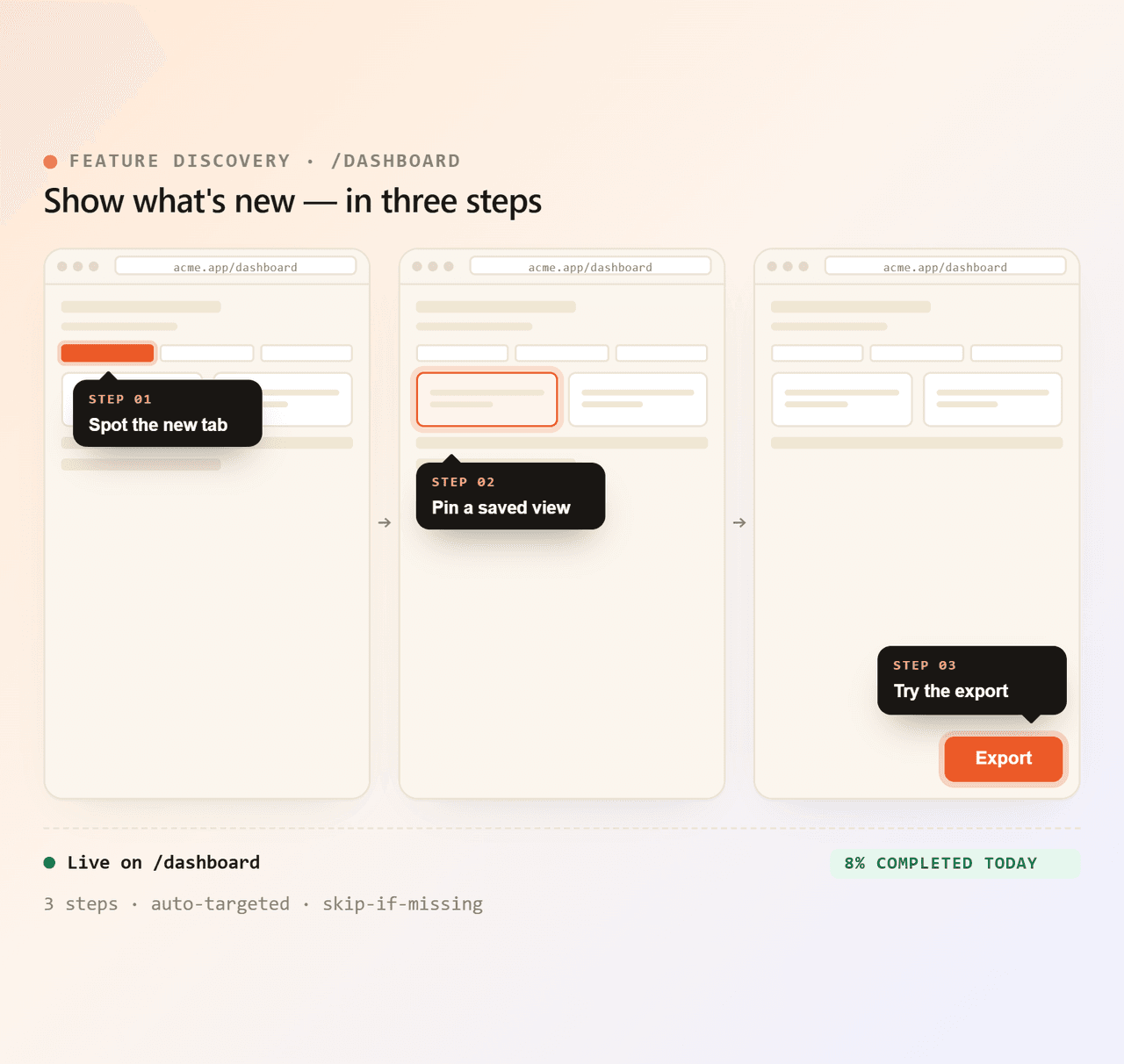
You shipped something great and no one noticed. Run a focused tour on the page where it lives, so existing users see what's new in seconds without opening your changelog.
Live in minutes
Skip the SDK and the per-step code. Open your app inside the Yaplet builder, click the elements you want to highlight, write the messages, hit publish.
Open your app inside Yaplet's visual builder. Click an element, write the tooltip, repeat. Drag to reorder.
Add the same Yaplet snippet you'd use for live chat. One install for chat, tours, surveys and more.
Set the start URL, pick who sees it, and ship. Edit anytime, no redeploy on your side.
<!-- One snippet powers chat, tours and the rest of Yaplet -->
<script src="https://yaplet.com/api/sdk/loader?widgetId=YOUR_WIDGET_ID" async></script>
<script>
  Yaplet.initialize("YOUR_WIDGET_ID");
</script>Stop writing docs no one reads. Build a tour today on the free-forever plan, with no credit card, and republish anytime your product changes. Plus 100 free AI answers a month from VEX.
Common questions
Short, honest answers. Still stuck? Open a chat and we'll reply.
Talk to a real person
We use Yaplet too. Try it on us.
Inside your app. Once the Yaplet snippet is installed, tours render as an overlay on top of your real UI. Tooltips anchor to your actual buttons, menus and forms.
No. You design every step in Yaplet's visual builder: open your product inside the builder, click the element you want to highlight, type the message, and Yaplet captures the selector for you.
You set a start URL on the tour, plus optional visitor and behaviour conditions (page, time on page, custom properties, frequency). Yaplet only opens the tour when those match.
Each step can have fallback selectors that Yaplet tries in order. You can also mark a step as 'skip if hidden' so an optional element never breaks the flow.
Four types: a centered post, a pointer tooltip on an element, a pointer with an embedded video, and a link step that sends the visitor to another URL. Use them in any combination.
Yes. Tours support visitor and page targeting, so you can run a welcome tour for new sign-ups and a feature-discovery tour only for users on a specific plan or page.
Yes. Tooltips reposition for narrower screens and the highlight ring resizes to whatever element you anchored to. The same tour works on phone and desktop.
Yes. The same snippet runs VEX, our AI chatbot, and the free plan includes 100 AI answers a month, no credit card. Run out and VEX doesn't stop: add a prepaid balance (from $5, no subscription, credits never expire) and it keeps answering pay-as-you-go.
Reviews
Loved by people and teams that care about making every customer interaction more insightful and efficient.
G2Capterra