
"We replaced three tools with Yaplet and our response time dropped from 4 hours to 2 minutes. The AI gets it right almost every single time."
MK
Maya K.
Head of Support, SaaS company
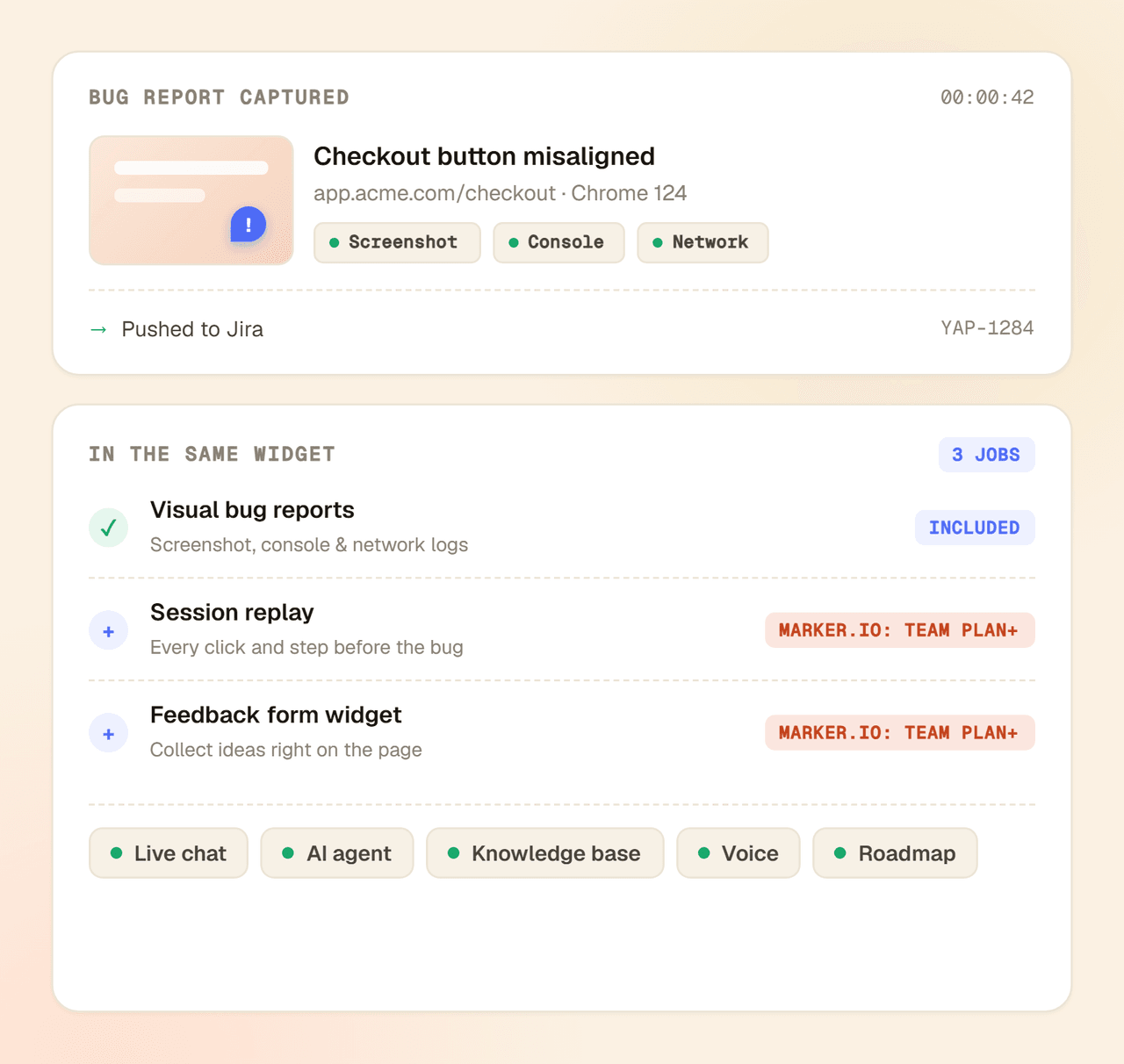
Marker.io captures a screenshot, console, and network logs, then files an issue. Yaplet does that too, with session replay included from the free tier instead of a paid tier, plus a feedback form widget, live chat, and an AI agent in the same install. EU-hosted, free to start.

 on G2 & Capterra| GDPR · EU-hosted
Side by side
Marker.io is a focused bug-reporting widget. The difference is the context Yaplet captures and everything it bundles around it.
 Yaplet
Comparison reflects each tool's pricing model and standard capabilities, which may change over time. Check Marker.io's site for current plans.
Bundled by default
Marker.io files visual bug reports with technical context, and adds session replay on its higher-priced plans. Yaplet does the same capture with session replay included from the free tier, then adds the thing Marker.io leaves out entirely: a real-time communication layer. On top of that you get a feedback form widget, live chat, an AI agent, a knowledge base, voice, and a public roadmap in the same install.
Pricing you can forecast
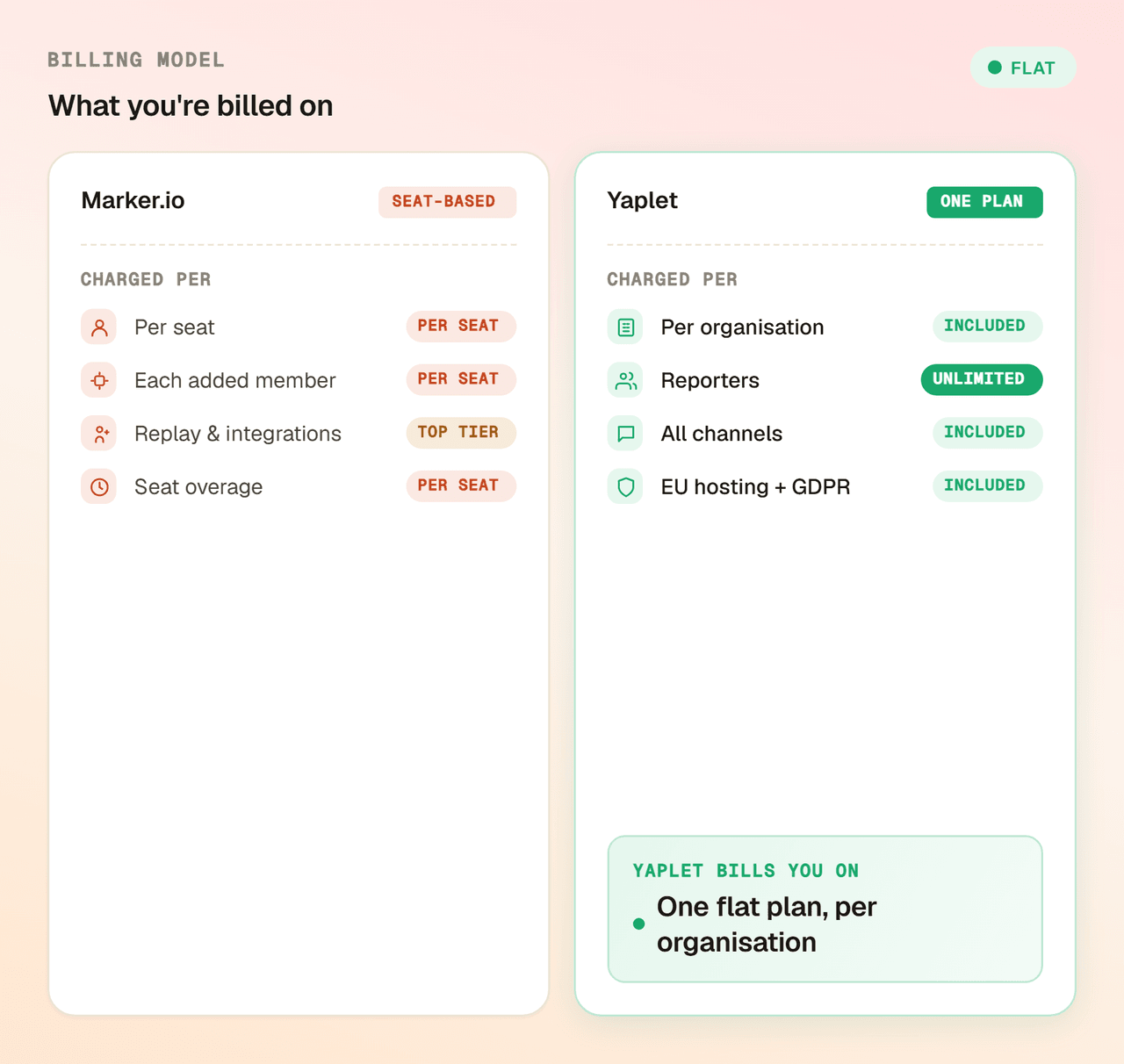
Marker.io plans include a fixed block of seats, then charge extra for every developer or QA reviewer beyond it, and cap how many projects each tier covers. Yaplet is one flat plan per organization that scales with usage, not with how many people file or review reports.
Install the widget, point reports at your tracker, and run both in parallel until you're sure. Most teams move their bug-reporting flow in a single sprint.
Common questions
Short answers. Still unsure? Open a chat. We run on Yaplet ourselves.
Talk to a real person
We can scope your switch in 15 minutes.
Yes. Yaplet's widget grabs a screenshot, console logs, network requests, browser and OS details, and the page URL, then files an issue. On top of that it records a full session replay of the clicks and steps that led to the bug, included from the free tier rather than locked to a higher-priced plan as it is with Marker.io.
Yes. Yaplet began as a visual bug-reporting SDK, so the screenshot annotation, console capture, and tracker hand-off are core, not bolted on. We later added forms, live chat, an AI agent, a knowledge base, voice, and a roadmap around the same widget.
Yes. Yaplet sends bug reports to the trackers most teams use, including Jira, Trello, GitHub, and Asana, with the screenshot and technical context attached. Marker.io supports a wider set of dev-tool integrations and deeper field mapping if that is your priority.
Both tools record the full session, so you can watch the exact clicks, scrolls, and inputs that produced the bug. The difference is access: Marker.io gates session replay to its higher-priced plans, while Yaplet includes it from the free tier. Either way you skip the back-and-forth of asking a reporter how to reproduce it.
No, both live in the same widget. Yaplet lets you collect structured feedback through forms and visual bug reports from one install, so non-technical users send feedback while testers file detailed bugs, without a second tool.
Marker.io has deeper dev-tool integrations, with richer Jira and Linear field mapping and workflow automation, and a purpose-built agency and QA review flow for client sign-off. If your work is centered on that review loop with a specific tracker, Marker.io is strong there. For a single widget that also handles replay, forms, chat, and AI, Yaplet covers more ground for less.
Reviews
Loved by people and teams that care about making every customer interaction more insightful and efficient.
G2Capterra