

"We replaced three tools with Yaplet and our response time dropped from 4 hours to 2 minutes. The AI gets it right almost every single time."
MK
Maya K.
Head of Support, SaaS company
Your chat contacts are already your mailing list, so you can send a real newsletter today without exporting anyone.

 on G2 & Capterra| High deliverability
Inside the dashboard
Build a campaign in five steps, design it with the drag-and-drop editor, send it to a segment of subscribers who already chat with you. No CSV exports. No second tool.
Email campaigns
Drafts · Scheduled · Sent
Spring lookbook
2h agoWeekly digest #38
in 2dCart recovery
todayWelcome series
yesterdaySubscriber segments
Build segments from any custom field. They update as your subscribers change.
Yaplet Newsletter
Welcome to the inside track
Hi {{ first_name }},
The products our team picked for you this week, built in the drag-and-drop editor.
Bestseller
New in
Blocks
Built for real audiences
Editor, segments, sending domain and AI sit in the same dashboard as your chats. The newsletter you send next month uses the same tools as the one you send today.
Build the email by dragging blocks: headings, text, images, buttons, columns. No HTML needed, and you can drop in raw HTML when you want to.
Define your own fields: first name, country, plan, anything you track. Use them as merge tags inside the email.
Split your list into groups for organisation, and segments built from filters that update automatically as subscribers change.
Run multiple subscribe-confirmation emails side by side to pick the one with the strongest opt-in rate.
Pick the day and time. Yaplet handles the queue. Drafts, scheduled, sent and cancelled live in their own tabs.
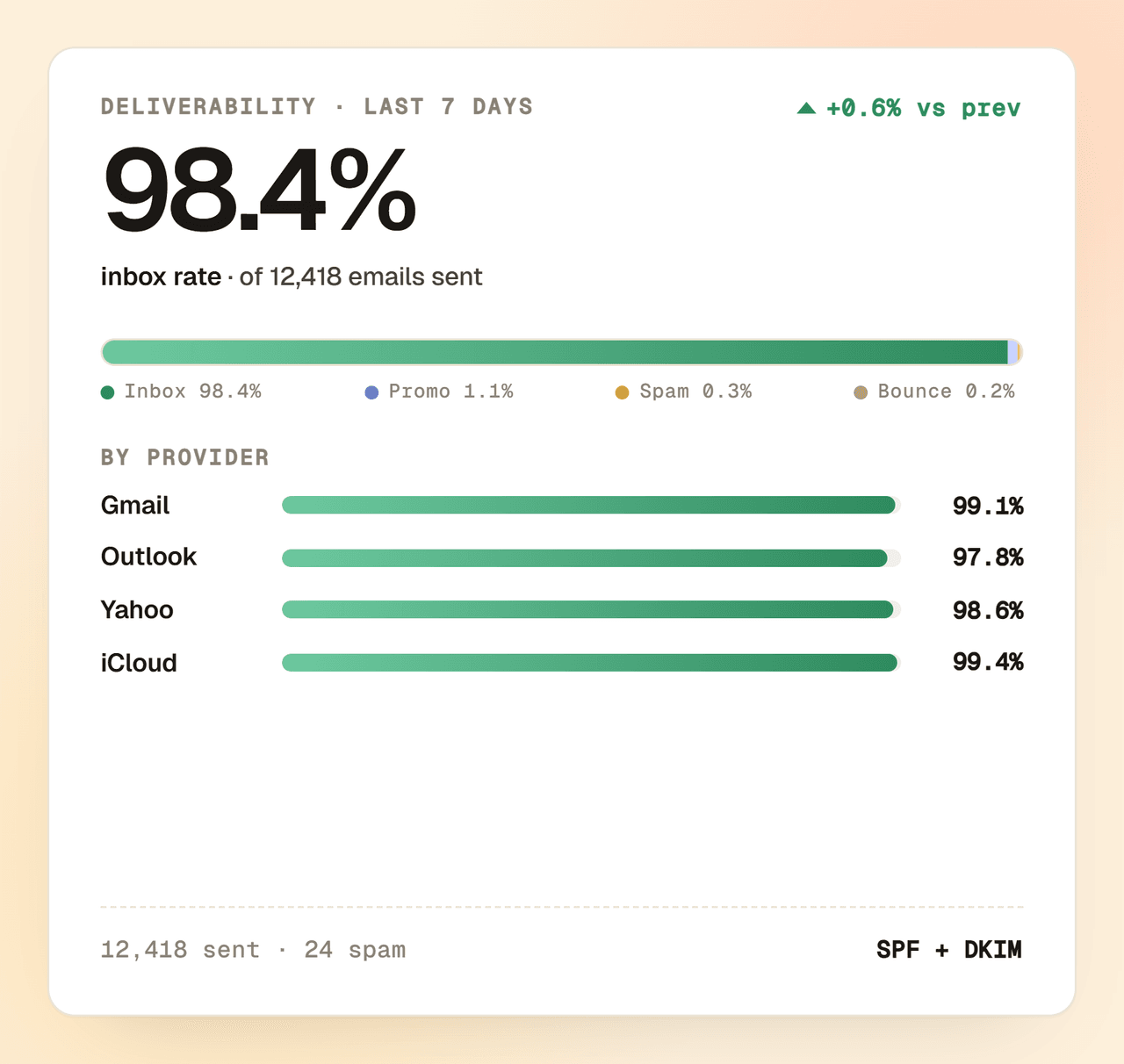
Add your domain, drop in the SPF and DKIM records, and Yaplet handles deliverability, including IP warmup for fresh domains.
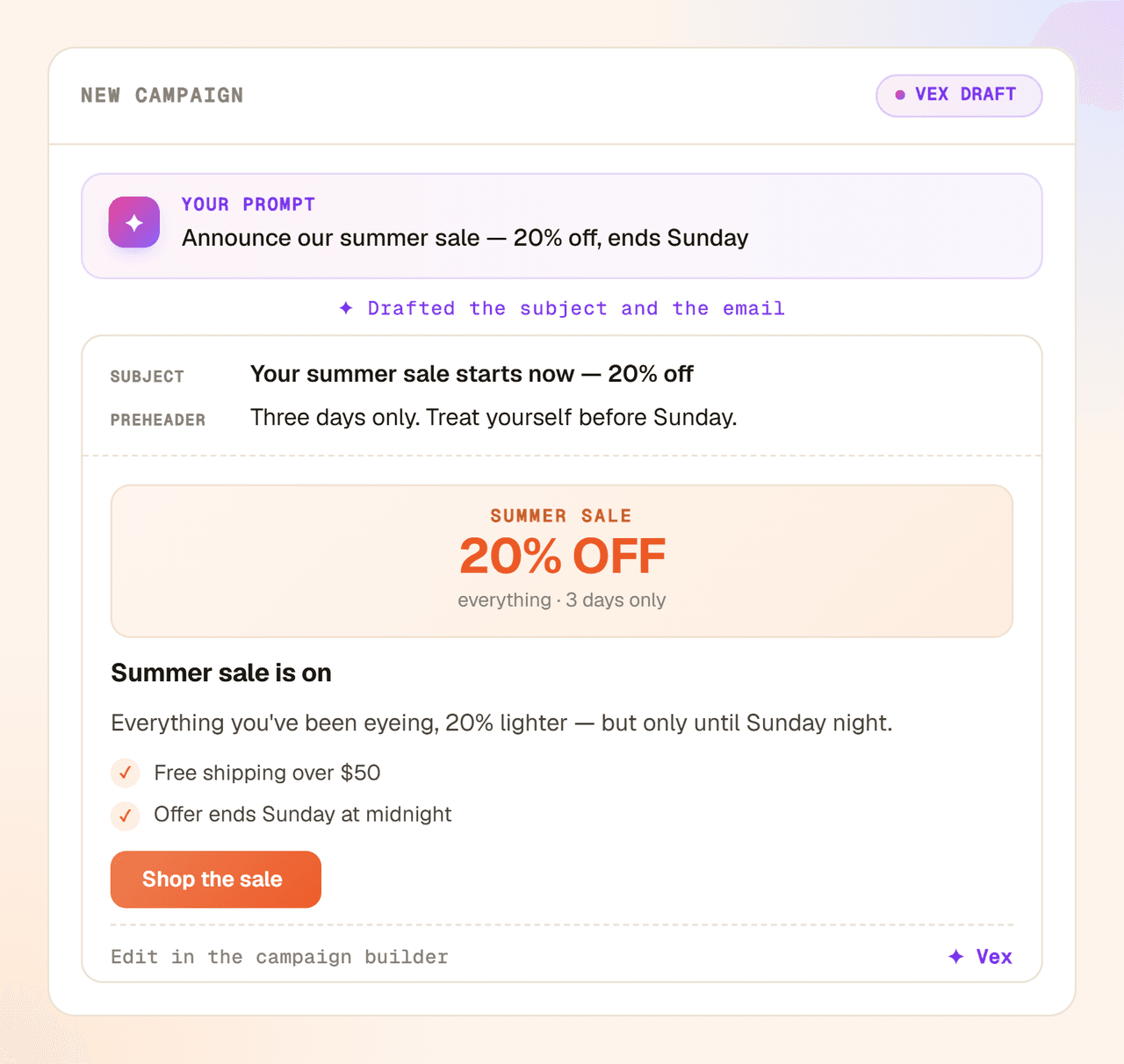
Describe a campaign and AI writes the subject line and body in seconds. Or switch on Autopilot and it writes and sends one on your schedule, from your own content.
Stay compliant by default: double opt-in, one-click unsubscribe and EU-hosted data, with every subscriber marked verified or not.
Subscribers and chat contacts are the same people in the same database. Segment by what they bought, asked or visited. Never export to Mailchimp again.
The campaign builder
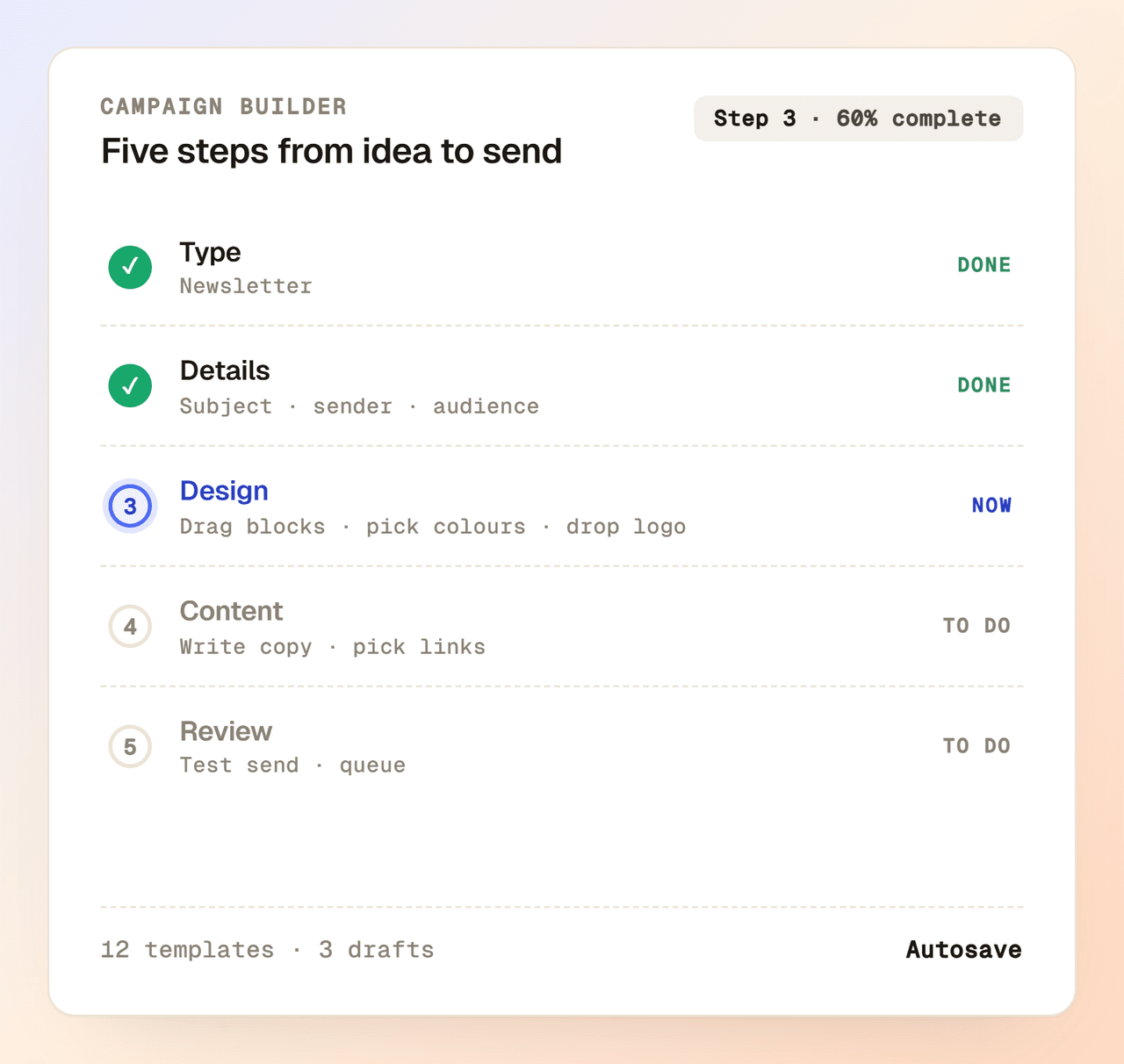
Start from a blank canvas, a saved template or a recent email. Drag blocks into place, set the colors, drop in your logo, and you're ready to send. Preview every change in real time on desktop and mobile.
Real deliverability
Send from your own domain, not a generic one. Add the SPF and DKIM records once, verify them in the dashboard, and you're sending mail that belongs to your brand.
AI content
Describe what you want to send and AI writes a full campaign, subject line and body. Generate a handful of subject-line variants to test, so you start from a finished draft instead of a blank canvas.
Newsletter Autopilot
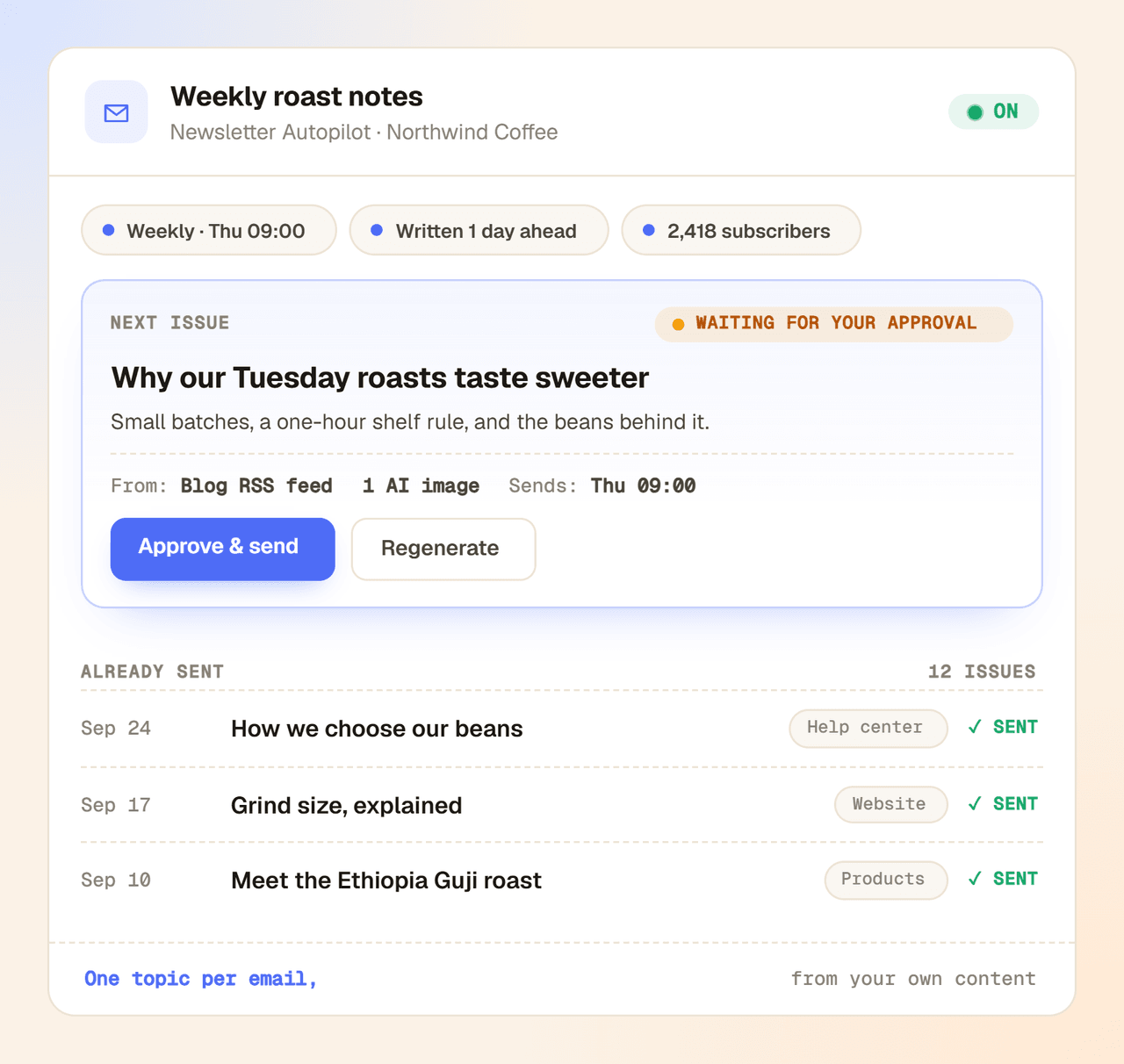
Pick a template and an audience. Before each send, Autopilot takes one topic from your own content, writes the whole email in your template, images included, and holds it for your approval. Included in the Growth and Enterprise plans.
First send in an afternoon
Skip the engineers and the migration plan. Import the list, design the email, queue the send, all in the same dashboard, the same afternoon.
Upload a CSV, paste a list or collect new subscribers via a verification form. Define your own custom fields as you go.
Drag blocks into place in the editor, drop in merge tags from your custom fields, and preview the email before you send.
Pick a segment, choose a verified sender, queue it for now or for later. Yaplet sends it through your authenticated domain.
Free plan to start, drag-and-drop editor from day one, replies that land in the same inbox as your live chat. No card, no contract, no CSV export.
Common questions
Short answers about sending email with Yaplet. Still stuck? Open a chat and we'll reply ourselves.
Talk to a real person
We use Yaplet too. Try it on us.
Yes. Every plan includes the newsletter — on the free plan you can grow a list of up to 1,000 subscribers, use the drag-and-drop editor and send campaigns, with sending prepaid from your credit balance. Paid plans send at a lower per-email rate; Growth includes 100,000 subscribers, subscriber add-ons lift the cap to 100,000 or 250,000 on any plan, and Enterprise goes beyond that.
Yes. You add your sending domain in the dashboard, drop in the SPF and DKIM records we give you, and we verify it in the background. After that, you pick a verified sender for each campaign.
Yes. You can upload a CSV, paste a list, or sync subscribers in via the API. Define your own custom fields and map them during the import.
Groups are static: you put a subscriber into a group and they stay there. Segments are filter-based and update when a subscriber's data changes, so a 'recent buyer' segment always reflects today's list.
When someone subscribes via your verification form, they get a confirmation email. Variants let you run multiple versions of that email side by side, see which one gets the highest opt-in, and use it as the default.
Yes. Every email includes an unsubscribe footer and a one-click unsubscribe link. Yaplet records who opted out and excludes them from future campaigns.
Yaplet is EU-hosted, supports double opt-in via verification emails, and tracks each contact as verified or unverified. You stay in control of your subscriber data and can export or delete it anytime.
Both. The free Basic plan also includes 100 free AI answers every month — no credit card. Go past them and the AI keeps working: top up from $5, pay only for what you use, and credits never expire. No subscription needed, and a paid plan makes those credits go further.
Yes, with Newsletter Autopilot. You pick a template, an audience and a schedule: weekly, every two weeks, monthly, or a set number of days after the last issue. Before each send it writes the whole email from your own content: subject line, preview text, body and images. By default every issue waits as a draft until you click Approve & send, and you can switch that off once you trust it. You can also generate a sample email before you turn it on.
From the content you choose: your knowledge base, docs, website pages, files and FAQs, products, and any sitemap, RSS feed or list of links you add. Each email covers one topic, and it works through everything you allowed before it comes back to a topic. You can also add your own topic ideas, and it writes those first.
It's included in the Growth and Enterprise plans. The AI writing is billed like the rest of Yaplet's AI: the text costs a fraction of a cent per email and images a few cents each, and the setup shows the estimated cost per issue before you switch it on. Sending costs the same as any other campaign.
Reviews
Loved by people and teams that care about making every customer interaction more insightful and efficient.
G2Capterra