

"We replaced three tools with Yaplet and our response time dropped from 4 hours to 2 minutes. The AI gets it right almost every single time."
MK
Maya K.
Head of Support, SaaS company
Write your product docs in a clean editor, let AI draft the first pass, and publish a fast, searchable site in minutes.

 G2 · Capterra| Search and AI built in
acme.yaplet.help/dGetting started
Guides
Install the widget
Configure
API reference
Guides / Install
Tip: paste the snippet just before the closing body tag.
AI drafting
Tell the builder what a page should cover and AI writes the first draft right in the editor. Generate titles and descriptions in a click, then edit and publish, all in one place.
New page
Drafted with AI
What should this page cover?
Step 1 · Add the app
Describe the topic and AI writes a complete page you can edit, using your other docs and knowledge base for context.
Tidy the draft in the markdown editor with live preview, generate a title and description, and keep writing where you left off.
Once a page is live, your AI chatbot can answer from it, so your docs and your support assistant stay in sync.
Features
A clean editor, AI that drafts for you, and a hosted site with full-text search and an ask-the-AI answer on every page.
Write in a markdown editor with a formatting toolbar and live preview. Drop in images, embeds, callouts, tabs and code blocks.
Group pages into categories and nest them as deep as you need, and reorder them as your product grows so the structure matches how readers think.
Describe a topic and get a full draft page. Generate titles and descriptions in a click, then continue writing with AI.
Work in draft, then publish a single page, a whole category or everything at once. Unpublish anytime.
Readers find answers fast with full-text search across your docs, plus an 'ask the AI' answer on every page.
Run a separate docs site per product, each with its own pages, language and light and dark logos.
Hosted for you
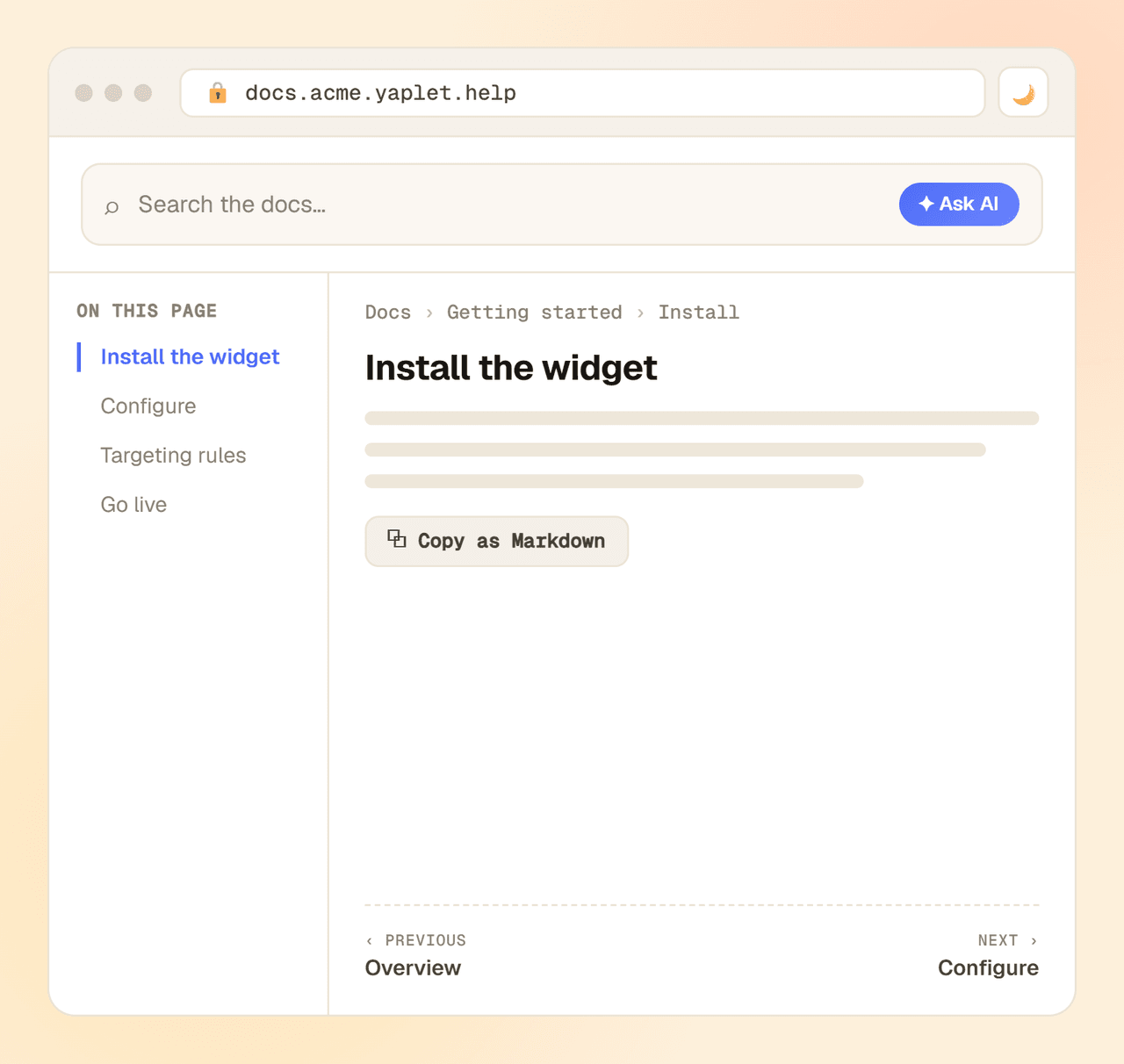
Publish to your own yaplet.help subdomain and readers get a site that's quick to move around: full-text search, a live table of contents, breadcrumbs and prev-next navigation, in light or dark mode.
Setup
From an empty space to a published docs site in three steps: create a space, draft with AI, and publish.
Name it, pick a language, and add your light and dark logos so the site matches your brand.
Add categories and pages, or let AI draft the first ones from a short description of the topic.
Publish a page, a category or everything at once, then share your docs URL or link it from your widget.
Open a free Yaplet account, draft your first pages with AI, and publish your docs site in minutes.
FAQ
How it differs from the knowledge base, how hosting works, and what the AI drafting can do.
Still have a question?
Real humans on chat, happy to help.
The Knowledge Base is your in-app answers layer: short support articles customers read right inside the chat widget. The Documentation Builder is your product's docs website: structured, nested, searchable pages on their own hosted, branded site that your widget links out to. Use the knowledge base for quick how-tos during a conversation, and docs for guides and references people read on their own. Both also train your AI chatbot.
AI gives you a solid first draft from a short topic description, and it can pull in your other doc pages and knowledge base for context. Treat it as a starting point: review and edit every page in the same editor before you publish. You can also generate a title and description, or continue writing, in a click.
Yes. Create a separate doc space per product, each with its own pages, language, light and dark logos, and its own hosted site. How many spaces and pages you can publish depends on your plan.
You can write in any language. Each doc space is set to a single language, so to publish in several languages you create one doc space per language. Your in-app Knowledge Base, by contrast, holds multiple languages in one place.
Who can edit your documentation is controlled by your team's roles and permissions, so the right people can write and ship pages while others can't. Everything is scoped to your Yaplet workspace.
Yes. Publish and unpublish any page or category whenever you want, and bulk-publish or unpublish a whole branch at once. An unpublished page drops off your site right away.
Your docs are hosted by Yaplet on your own subdomain (yourbrand.yaplet.help), so there's nothing for you to set up or maintain. Custom domains aren't supported yet. The number of doc spaces and pages you can publish depends on your plan.
Reviews
Loved by people and teams that care about making every customer interaction more insightful and efficient.
G2Capterra