Yaplet drafts the posts, you approve them
Every Autopilot and API post waits in a review queue for your OK by default.
Yaplet drafts Facebook and Instagram posts from your own content, images included, and you approve them before they go out.

 5.0/5 on G2 and Capterra
Northwind Coffee
Just now ·
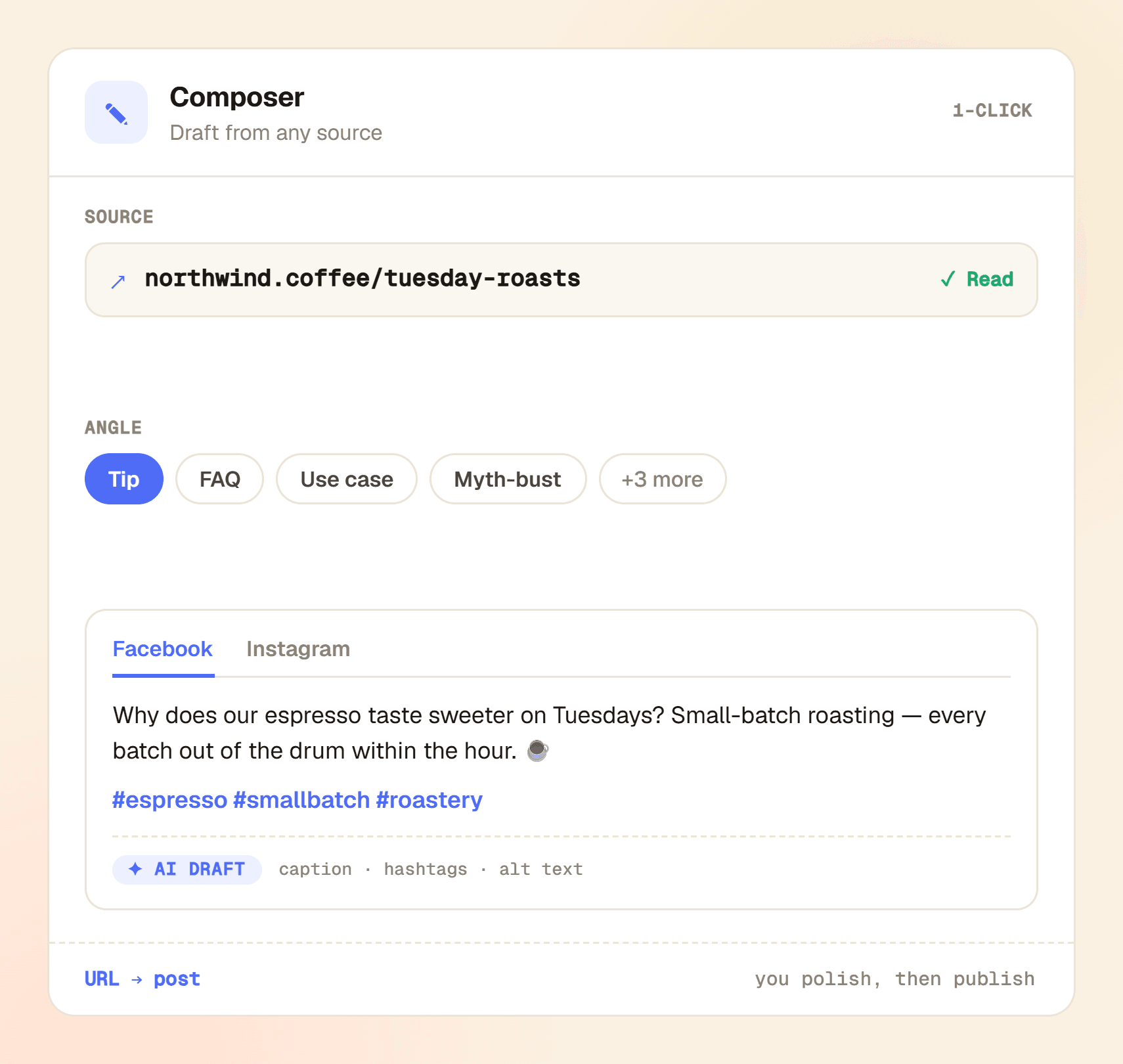
Why does our espresso taste sweeter on Tuesdays? Small-batch roasting — every batch out of the drum within the hour. ☕

northwind.coffee
Why our Tuesday espresso tastes sweeter
Small-batch roasting, single-origin beans and the one-hour shelf rule — the full story.
Northwind Coffee
Full story on the blog 👉 northwind.coffee/tuesday-roasts
Sara M.
Best espresso in town, can confirm ☕
northwind.coffee
 AI imageN
128 likes
northwind.coffee Small-batch Tuesdays: every bag roasted, rested and on the shelf within the hour. ☕ #espresso #smallbatch #roastery
northwind.coffee Which roast are you brewing this week? Tell us below 👇
Included in the Growth and Enterprise plans, or as an add-on on any plan.
Every Autopilot and API post waits in a review queue for your OK by default.
Paste a link and get captions, hashtags, alt text, an image and a first comment.
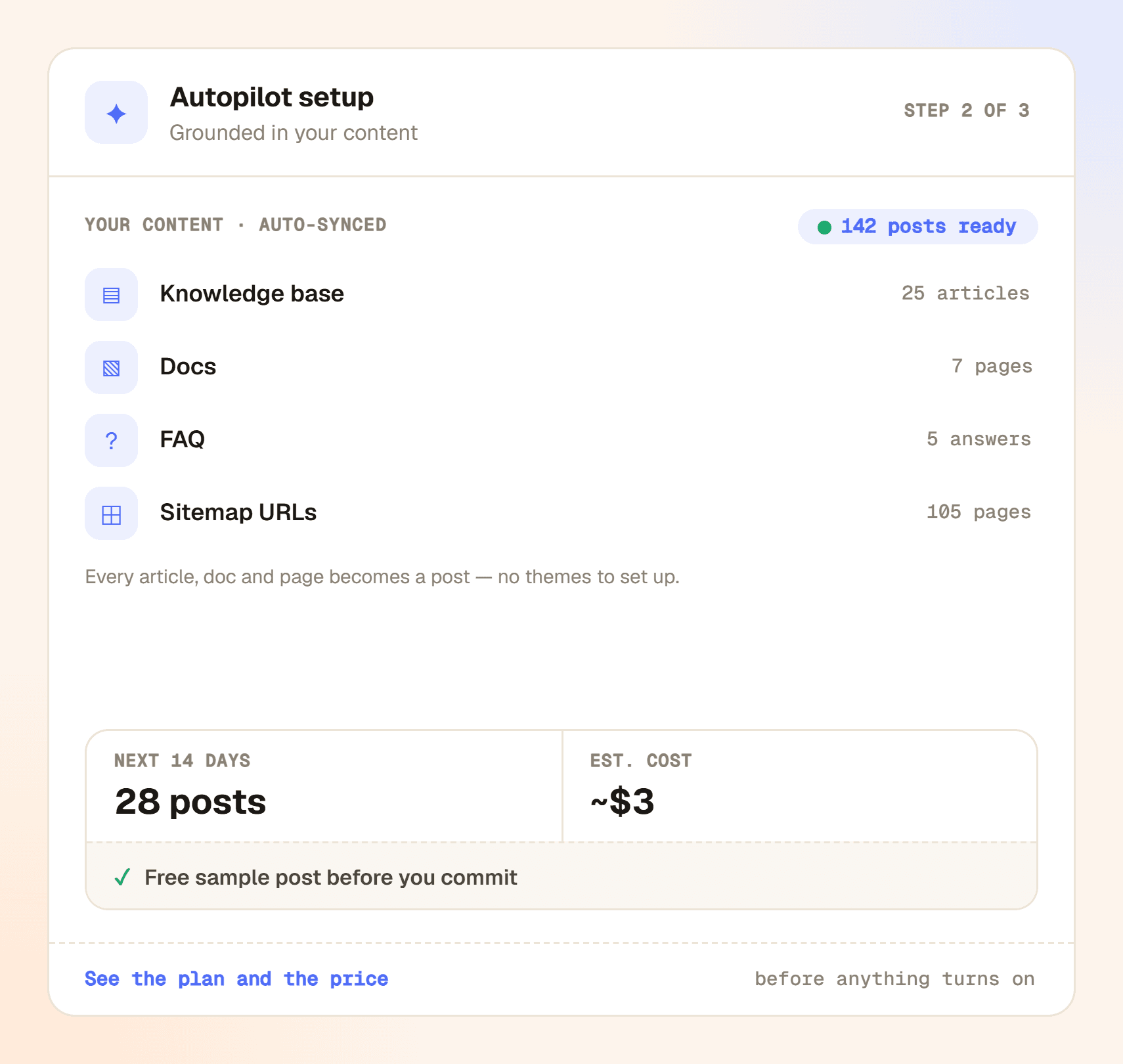
Keeps a 14-day queue full, topped up daily from your own content.
Uses the same knowledge your chat answers come from: your facts, your tone.
Checks each new topic against what it already covered and picks another if too close.
Separate Facebook and Instagram captions, with Instagram's 2,200-character limit enforced.
Posted under your post when it goes live. On Facebook it can carry your link.
Each business gets its own pages, voice, image style, watermark and knowledge.
Review queue
Northwind Coffee · 8 posts waiting
Brewing tips · How-to
Why does our espresso taste sweeter on Tuesdays? Small-batch…
Beans origin · Behind the scenes
Meet the farm behind your morning cup. Our sourcing team…
Loyalty program · FAQ
Do points expire? Short answer: no. Long answer…
Link your Facebook Page and its Instagram account in one step.
Set the pages, voice, image style and watermark.
Compose one post or turn on Autopilot, then approve what's queued.
Facebook Pages and the Instagram business or creator accounts linked to them, through Meta's official API. Personal Facebook profiles aren't supported; that's a Meta rule.
Not unless you choose that. Autopilot and API posts wait in the review queue by default, and posts you write yourself ask you to confirm. Auto-publish exists, but you have to turn it on yourself for each Autopilot or API call.
Only from your content. Composed posts use the link, text or items you give it. Autopilot uses the sources you tick on your brand's Content sources page: the help articles, docs and web pages your chat answers use, plus any sitemap, RSS feed or links you add. It is told never to invent facts, and you review every post.
It's included in the Growth and Enterprise plans, or as an add-on on any plan. Writing is billed like the rest of Yaplet's AI: captions cost fractions of a cent per post and images a few cents each, with the price on the button before you click. Autopilot shows a cost estimate before you turn it on. If the AI fails to write a post, you aren't charged for it.
Before Autopilot writes, it compares the new topic with the ones it already covered. If it's too close, it moves on, and it works through all your themes before it returns to one. The composer compares each draft with your last 90 days of posts and warns you about overlaps.
Yes. One API call with your Yaplet API key and the article link, and in about two minutes the posts are waiting in your review queue, or published if you chose that. Code examples are in the dashboard.
Handled. Images are sized for Instagram automatically, captions stay under its 2,200-character limit, and AI-made images are marked as AI-made, so Meta can show its own "AI info" label on Facebook and Instagram.
Yaplet writes a comment and posts it under your post when it goes live. On Facebook it can carry your source link. On Instagram, where links in comments aren't clickable, it stays link-free. If a comment fails, the post itself is untouched.
Still have a question?
All of them live in one Yaplet account. Compare plans and pricing
Connect your pages and approve your first two weeks of posts today.