

"We replaced three tools with Yaplet and our response time dropped from 4 hours to 2 minutes. The AI gets it right almost every single time."
MK
Maya K.
Head of Support, SaaS company
Build a chatbot that captures leads and qualifies visitors 24/7, no code and no developer needed.

 on G2 & Capterra| Zero code · zero engineers
How a workflow looks
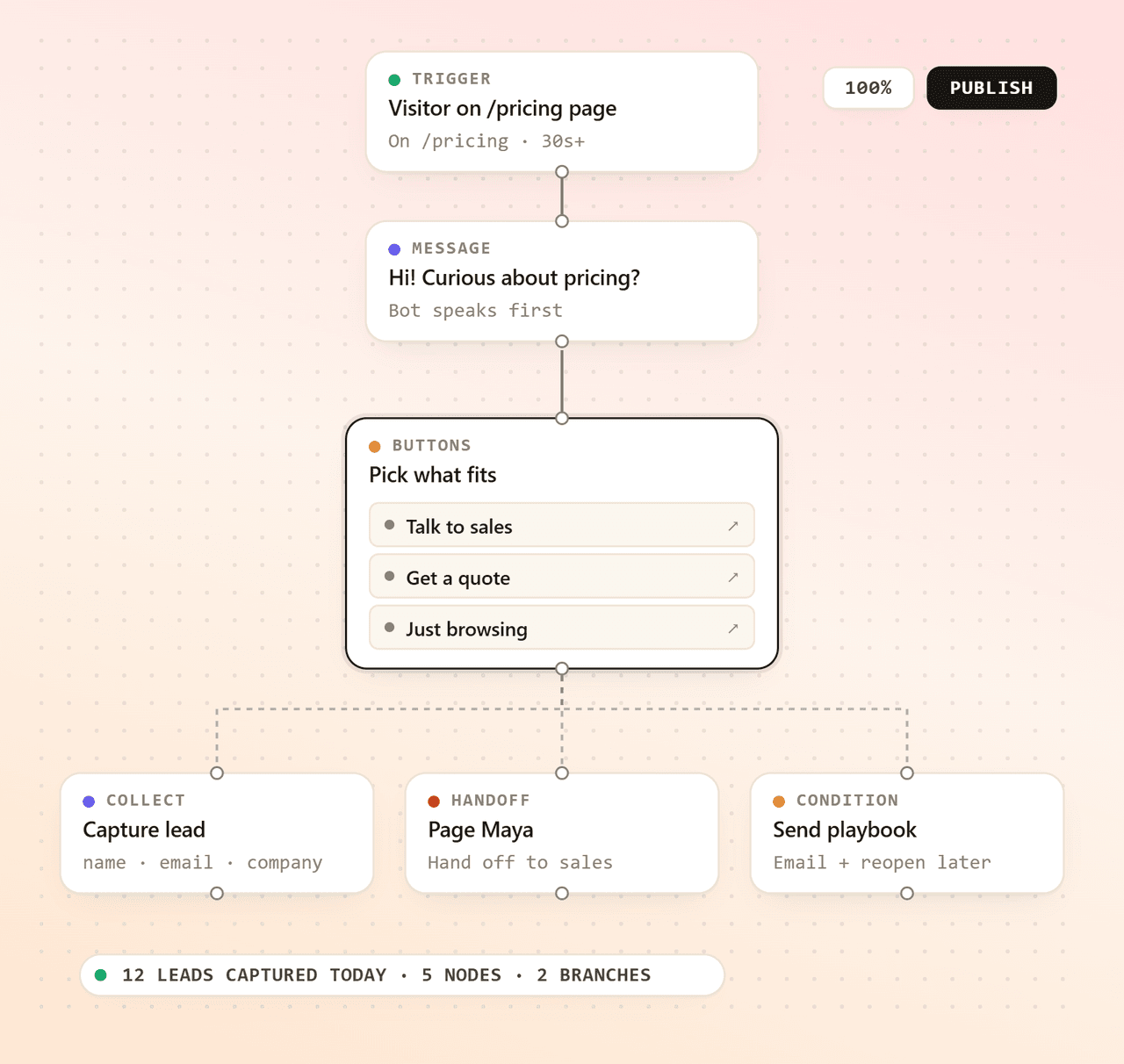
Every workflow is a chain of nodes — start, ask, branch, collect, hand off. Drop them onto the canvas, draw lines, hit publish. The widget runs the rest.
Trigger
Drag onto canvas
Message
Drag onto canvas
Buttons
Drag onto canvas
Condition
Drag onto canvas
Collect data
Drag onto canvas
Live agent
Drag onto canvas
Pricing-page lead bot
Triggered on /pricing · 4 nodes
Visitor on /pricing page
On /pricing · 30s+
Pick what fits
Page Maya
Hand off to sales
Capture lead
name · email · company
Inside the builder
Every block you need to ship a working bot, included on every plan, free one too. No upgrade walls, no hidden tiers. Add AI to any flow too: 100 free AI answers a month on the free plan, then pay-as-you-go credits, no subscription.
An infinite canvas with snap-to-grid nodes and clickable connections. Build, rearrange and publish without ever touching code.
Give visitors tappable options instead of a blank text box. Each choice can branch into a different path.
Multi-step forms inside the chat, built for lead qualification, support tickets or signups, with file uploads supported.
Send visitors down different paths based on what they answered, what page they're on or what data you've collected.
Email, phone, name, company, or any custom field you define. Saved straight onto the visitor profile.
Drop in a Request Agent node and the conversation jumps straight into your team's inbox, full context attached. Or wire in Vex, our AI, to keep answering until you choose to step in.
Capture more leads
Your team can't be online 24/7, your bot can. Drop a lead-capture workflow on your highest-traffic pages and wake up to a queue of qualified, contacted, ready-to-reply prospects.
Qualify before you reply
Branch the conversation on the visitor's first answer. By the time a chat reaches your team, you already know who they are, what they want and how urgent it is. No more discovery questions.
Live in minutes
Sketch the flow, attach it to your widget, watch it run. No engineers, no project plan, no extra tools.
Drag nodes onto the canvas, connect them, fill in the messages and choices. Preview before you publish.
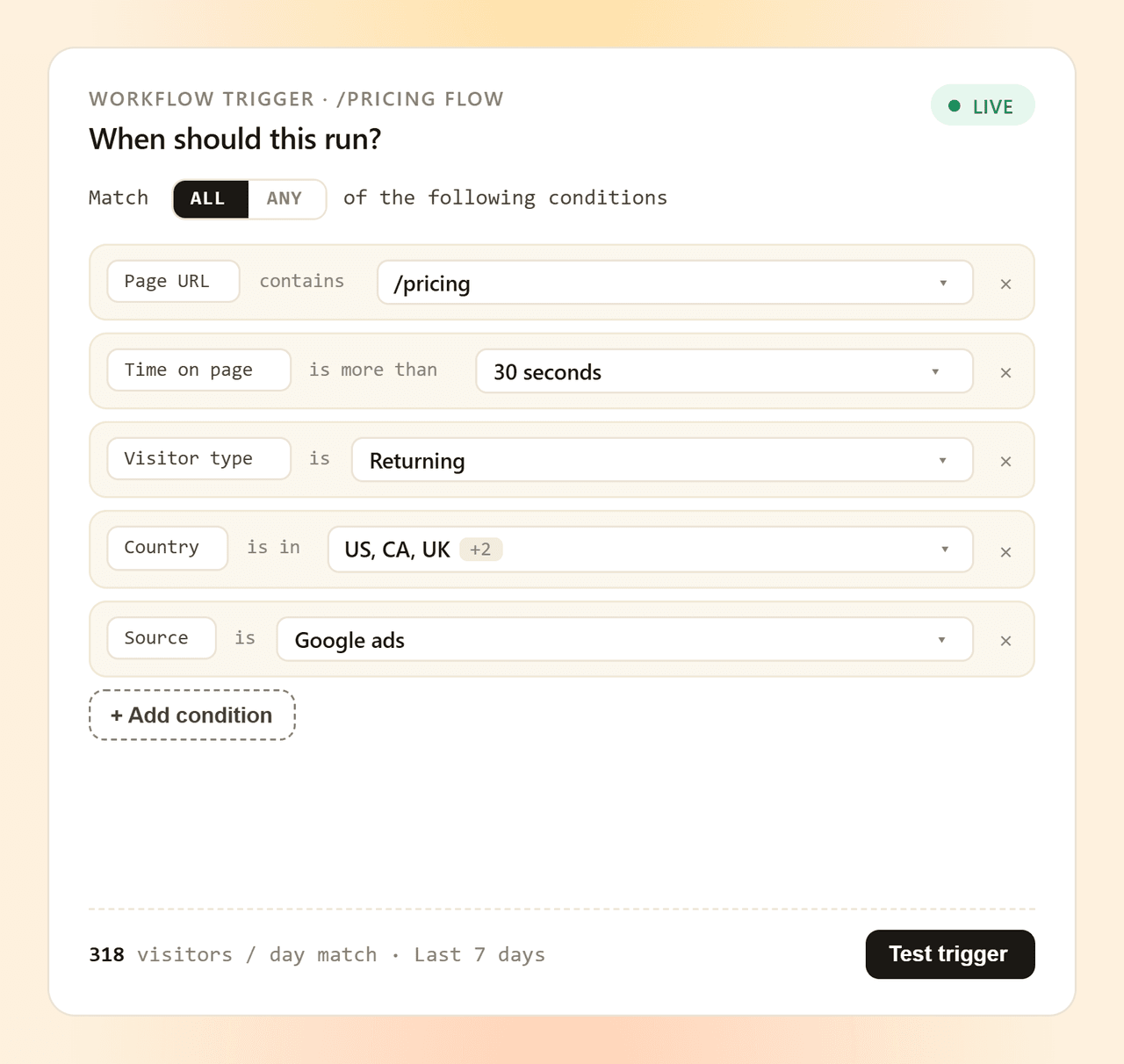
Pick which widget runs the workflow and on which pages it should trigger. Publish in one click.
Watch the analytics tab to see how many visitors entered, completed or dropped off, then tweak the flow.
Drag your first workflow together this afternoon. Keep the free plan forever, AI included, and pay as you go only when you need to, with credits that never expire. No card, no contract, no risk.
Common questions
Short, honest answers about how Yaplet's workflow builder works. Still stuck? Open a chat with us.
Talk to a real person
We use Yaplet too. Try it on us.
Correct. The whole builder is drag-and-drop. You pick a trigger, drop nodes on the canvas, connect them with lines and click Publish. If you can use Figma or Miro, you can build a Yaplet workflow.
Messages, button choices, open-text questions, multi-step forms, data collection, conditional branches, links and a hand-off-to-human action. You can also call other workflows or your own AI bot from inside a flow.
Yes. Each workflow has its own trigger settings and conditional query, so you can run a lead bot on /pricing, a help bot on /docs and a feedback bot on the blog, all from the same widget.
Name, email, phone, company, plus any custom field you define on the visitor profile. Forms inside a flow can also collect file uploads, dropdown answers and longer text.
Yes. Drop a Request Agent node into the flow. The conversation jumps into your inbox with the full context (every message, button click and form answer already attached), so the agent picks up where the bot left off.
Every workflow has its own analytics tab inside Yaplet. You'll see how many visitors entered, completed or dropped off, broken down by date, so you know which steps to keep, edit or remove.
Yes. Every node in the builder is included on the free plan, free forever, no credit card. Build your first bot, ship it on your site, and your free plan never expires.
If a flow calls Vex, our AI, the free plan includes 100 free AI answers a month. Go past them and the AI doesn't stop or force an upgrade: it draws from a prepaid balance you top up whenever you like, from $5, and you only pay for what you use. Credits never expire, so there's no surprise bill.
Reviews
Loved by people and teams that care about making every customer interaction more insightful and efficient.
G2Capterra